
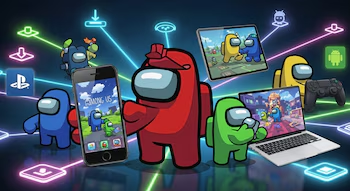
Download Among Us Easily and Free: A Step-by-Step Guide
Among Us has rapidly grown into one of the most favored multiplayer games, captivating diverse audiences with its unique blend of deduction, teamwork, and betrayal. The game is accessible on multiple platforms, ensuring you can enjoy it whether you’re on a mobile device, console, or computer. This guide will walk you through the straightforward process of downloading Among Us for iPhone, Android, Windows, PlayStation, and Mac, offering a stress-free gaming experience.
How to Download Among Us on iPhone
For iPhone users, downloading Among Us is a breeze through the App Store. Follow these simple steps:
- Open the App Store on your iPhone (the blue icon with a white “A”).
- Navigate to the search tab and enter “Among Us.”
- Select the official application from the search results.
- Tap “Get” to start the download and installation process.
- If prompted, verify your identity using Face ID, Touch ID, or your Apple ID password.
- Once downloaded, tap “Open” to jump straight into the game.
How to Download Among Us on Android
If you own an Android device, downloading Among Us is equally straightforward through the Google Play Store. Here’s how:
- Open the Google Play Store on your Android device.
- Type “Among Us” in the search bar at the top.
- Locate and select the app developed by Innersloth.
- Click “Install” and wait for the download to conclude.
- Access the game from your home screen and start your adventure!
How to Download Among Us on Windows
For Windows users, Among Us can be purchased and downloaded via different platforms:
Via Steam:
- Download and install the Steam client from the official website.
- Search for “Among Us” in the Steam store.
- Make your purchase and install the game from your library.
Via Microsoft Store:
- Open the Microsoft Store from the start menu.
- Search for “Among Us” in the search engine.
- Purchase the game and press “Install” to download it onto your system.
Using an Android Emulator:
- Download BlueStacks or another compatible Android emulator.
- Open Google Play within the emulator.
- Search for “Among Us” and install it just as you would on a mobile.
By Epic Games Store:
- Access the Epic Games application.
- Check for any promotions offering Among Us for free, and add it to your account.
- Download it from your library if available.
How to Download Among Us on PlayStation
Installing Among Us on PlayStation 4 or PlayStation 5 requires a few simple steps:
- Power on your console and open the PlayStation Store from the main menu.
- Use the search function to locate “Among Us.”
- If you have PlayStation Plus and a promotional offer is available, you can download it for free; otherwise, proceed to purchase it.
- Ensure you have an active PlayStation Plus subscription for online play.
- Once downloaded, install the game and run it from your console library. Keep in mind that Among Us supports cross-play with users on PC, mobile, and other console platforms.
How to Download Among Us on Mac
For Mac users, the download process will vary depending on your hardware:
For Macs with Apple Silicon (M1, M2, M3):
- Access the Mac App Store.
- Search for “Among Us.”
- Select the compatible version for iPad/iPhone and follow the download instructions.
For Macs with Intel Processors:
- Download BlueStacks (an Android emulator) from its official website.
- Sign in with your Google account, open Google Play, and search for “Among Us” to install.
Conclusion
Bringing the excitement of Among Us to any device has never been easier. With quick and secure installation methods, players can enjoy exhilarating games with friends or solo. Follow these steps carefully, and you’ll be ready to dive into the captivating world of Among Us in no time!