
Choosing parts for a desktop PC can be quite challenging. You might spend a lot of time figuring out which processor, RAM, or graphics card to pick. However, one extremely crucial aspect often overlooked is ensuring your CPU doesn’t overheat. Proper cooling is essential to prevent damage to your components, and there are two primary options: air coolers and liquid cooling systems. While many believe liquid cooling is the superior choice, there are caveats to consider. Let’s explore both options in detail.
Choosing an Air Cooler
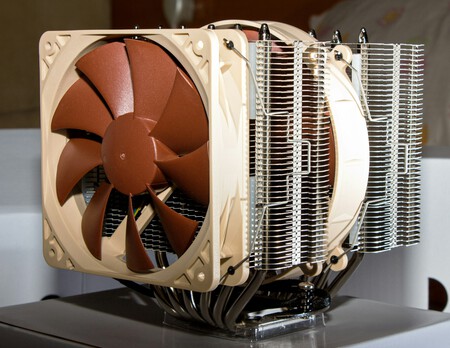
Air coolers are the conventional choice for cooling processors. Typically requiring more physical space in your PC case, these units comprise a fan mounted on a base (either copper or aluminum) that sits directly above the CPU. The heat is transferred through heat pipes, sealed tubes containing a small amount of liquid. As the CPU generates heat, the liquid evaporates and moves to the radiator, cooling down before it cycles back.
One significant advantage is that a quality air cooler can outperform lower-end liquid cooling systems. Additionally, they are generally easier to install and more durable, with most components being replaceable, primarily just the fan.
However, noise can be an issue, as certain models can sound like miniature turbines at full speed. Also, their size can create challenges for airflow within your case, compromising overall cooling efficiency.
Choosing Liquid Cooling
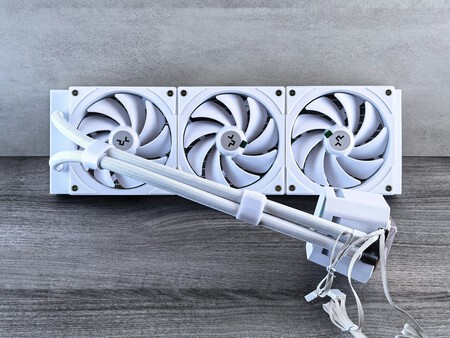
Liquid cooling, or AIO (All In One) systems, presents a more elegant solution. These systems utilize a more sophisticated method, involving a compact block that attaches to the processor. This block circulates liquid that absorbs heat and transports it to a larger radiator equipped with fans, effectively managing the thermal output.
Liquid cooling tends to dissipate heat more effectively than air, providing quieter operation thanks to its generally reduced fan speeds. However, the installation is more complex, and these systems typically have a shorter lifespan—around three to six years. Moreover, they can be pricier and may pose a risk of coolant leaks, although this is not common.
Comparing the Two Options
Air Cooler | Liquid Cooling | |
|---|---|---|
Pros | More affordable, durable, effective cooling. | Highly efficient cooling, sleek aesthetic. |
Cons | Can be noisy, takes up space. | More expensive, complex installation. |
Best for: | Users who want reliable cooling without much hassle. | Gamers and performance enthusiasts prioritizing aesthetics and lower noise levels. |
Both cooling methods have their pros and cons. When making your decision, consider how you intend to use your PC. If you are looking for a reliable, long-lasting cooling solution, air coolers may be your best bet. They are typically easier to maintain, requiring occasional cleaning and thermal paste replacements.
On the other hand, if aesthetics matter and you aim for superior cooling performance under heavy loads or overclocking conditions, a liquid cooler may be the way to go.
Recommended Models
Air Cooler: Noctua NH-U12S redux
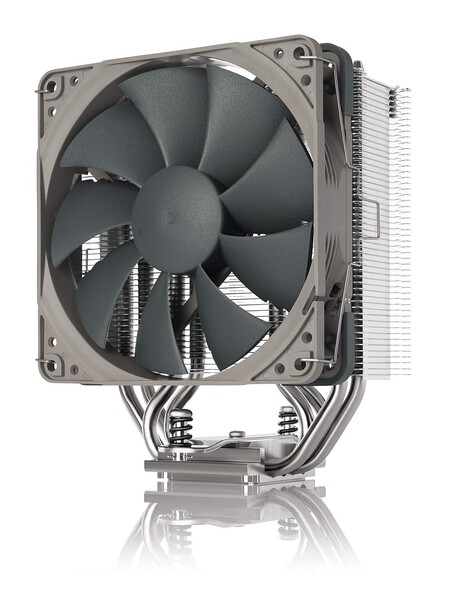
The Noctua NH-U12S redux offers excellent performance at a competitive price, featuring automatic fan speed regulation and included thermal paste.
Liquid Cooling: Corsair Nautilus 360 RS ARGB
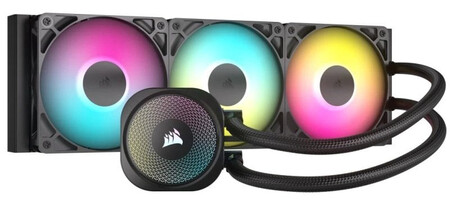
Corsair’s Nautilus 360 RS ARGB combines excellent cooling with aesthetic appeal, featuring three PWM-controlled fans to keep things quiet.
Ultimately, whether you opt for air or liquid cooling depends on your specific needs, budget, and aesthetic preferences. Both can serve you well if chosen wisely.