

In this article, we will explain how to update your Pixel mobile to Android 16 , the latest version of Google’s smartphone operating system. As is customary, Google’s Pixel devices lead the way in receiving updates to the latest Android version. This guide will cover which Pixel models will receive this update and provide a step-by-step procedure for installation, making the process straightforward.
To start, let’s list which Pixel models will receive the Android 16 update . Not all models will be included; however, Google’s generous update policy ensures that every model currently running Android 15 will also get its successor. The following models are eligible:
Which Pixels Receive Android 16
First, let’s confirm which Pixel models are getting Android 16 . This year, Google is keeping its commitment to its users by supporting a range of devices. The eligible models include:
How to Update Your Pixel to Android 16
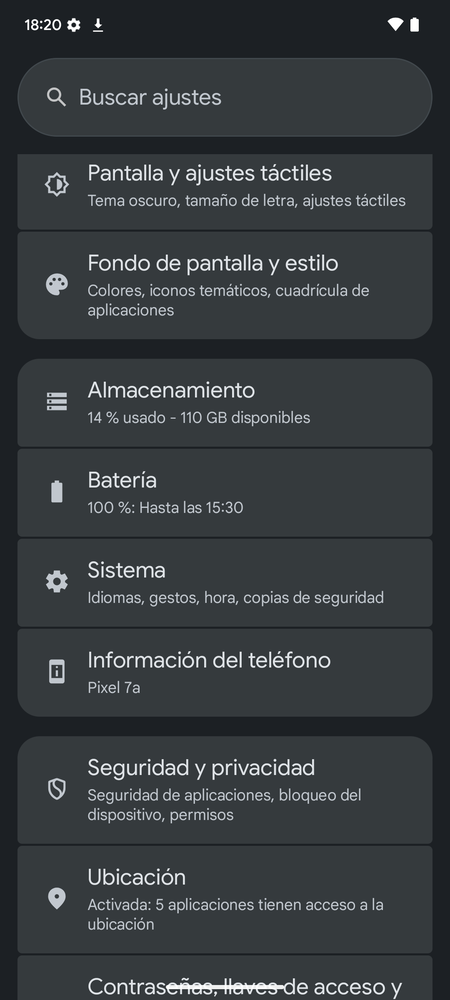
The first step is to tap the Settings app to enter your mobile’s configuration. Once inside, select the System section that appears further down, just below the battery options.
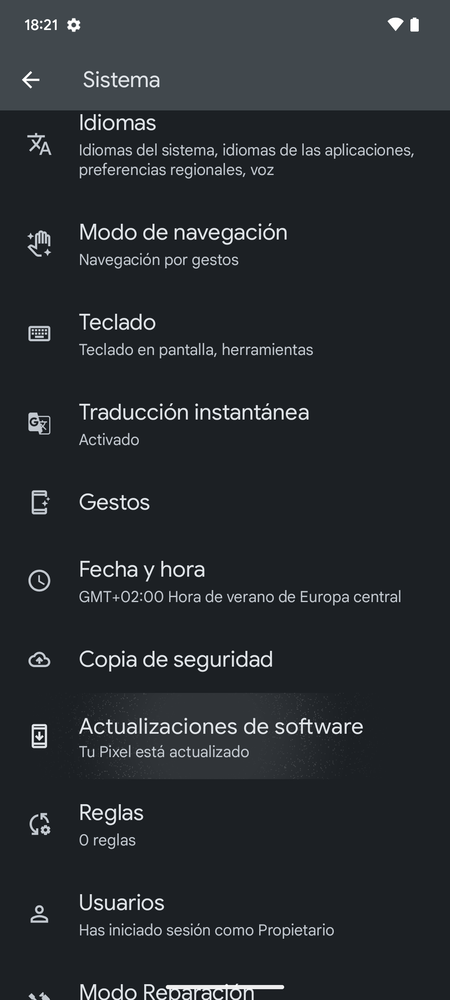
This will lead you to a screen where you can adjust various aspects of the operating system, such as gestures or language. Here, click on the Software Updates option located in the lower half.
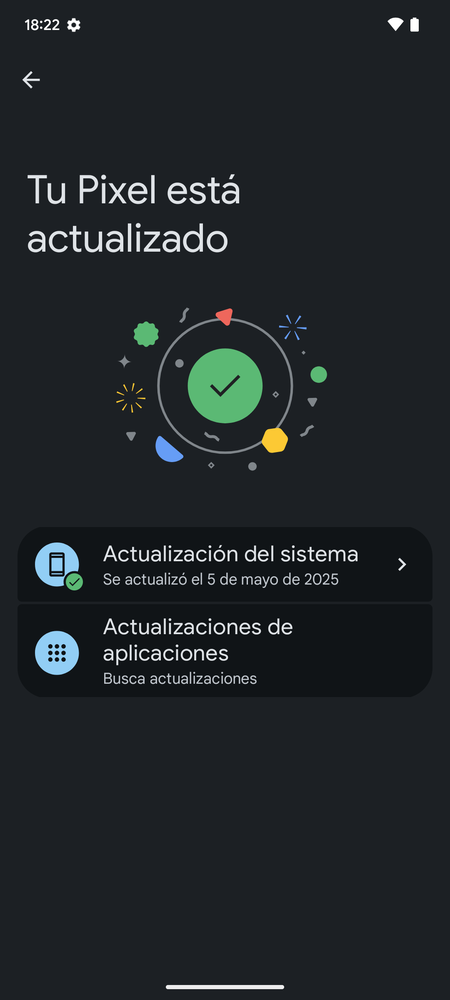
Here, you’ll find two options for updating the operating system or applications. Even if it says your system is up to date, tap on the System Update option.
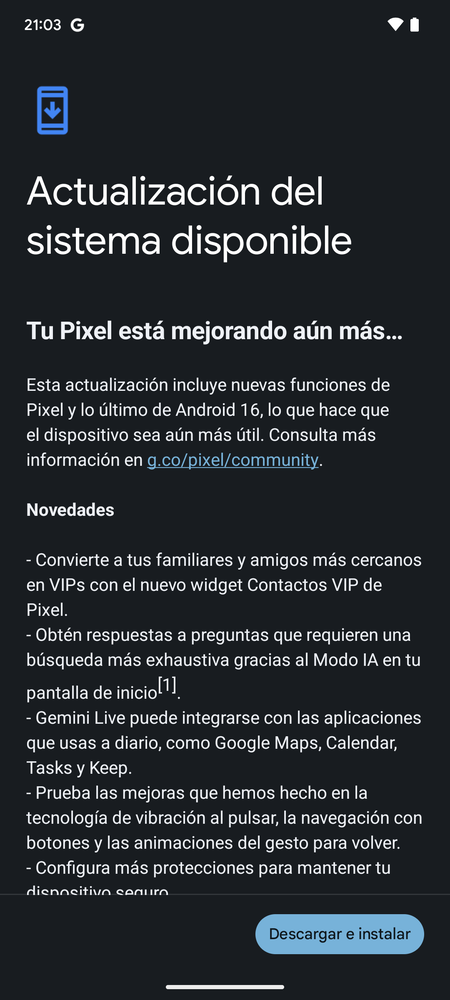
In this screen, you will see the Android 16 update available. All you need to do is tap on Download and Install , the button that appears at the bottom right of the list of new features.
If the update doesn’t appear, you can tap on Check for updates to force your Pixel to look for it again. If still nothing shows up, you may need to wait several hours until it is rolled out to everyone.
As we conclude, remember that staying updated not only enhances your device’s performance but also provides the most recent security features to keep your information safe. Updating to Android 16 can significantly improve your user experience with its brand-new features and functionalities, making your Pixel smartphone smarter and more efficient.