
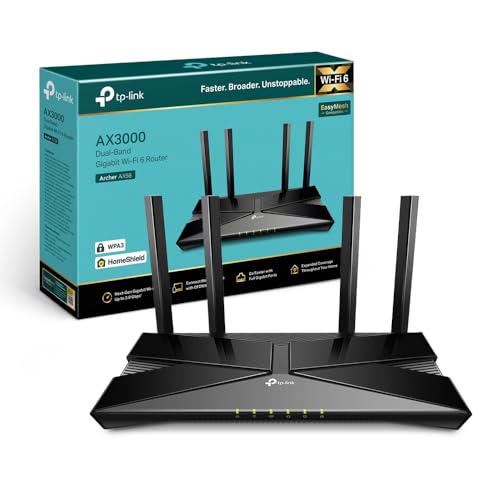
You connect to the router and see that you can use two networks: 2.4GHz and 5GHz. Thinking that the second one is going to offer better speed, you use it to connect all your devices. Can you do it? Yeah. Is it the best? No. This is a very common error that can lead to problems with the stability of the connection, so today we are going to explain when to choose one network or another.
How a 2.4GHz Network Works
The 2.4GHz network is the oldest WiFi frequency, enabling connections that bounce better through walls and furniture. While it has a slower data transfer rate, it excels at covering larger areas, making it perfect for devices that don’t require high bandwidth.
However, this network can easily become congested due to interference from Bluetooth devices, microwaves, and other routers, especially in dense urban environments. For instance, when using a robot vacuum cleaner—an example of a low data-transfer device—it’s advisable to connect to the 2.4GHz network for reliable coverage throughout the home.
Think of the 2.4GHz network as a long, one-lane road. You can travel far, but you need to be patient as traffic can slow you down.
What Devices Prefer 2.4GHz?
- Smart home devices like robot vacuum cleaners and smart plugs.
- Devices in remote corners of your house needing stable connections.
How a 5GHz Network Works
The 5GHz network offers quicker data transfer rates, making it preferable for tasks requiring heavy bandwidth, like streaming movies in 4K or online gaming. It has fewer users, resulting in a generally more stable connection.
However, the drawbacks include its limited range and inability to penetrate walls effectively, which means it might not reach far corners of your home. Envision the 5GHz network as a five-lane highway. You can go very fast but may encounter issues if walls or furniture block your path.
What Devices Prefer 5GHz?
- Computers and laptops when downloading large files.
- Smart TVs for streaming services, especially those requiring high bandwidth.
Knowing When to Use Each Network
For stationary devices like televisions or desktop computers, connect to the 5GHz network if they are close to the router. If you have devices that require low data transfer and move throughout your space—like smartphones or smart plugs—use the 2.4GHz network for greater coverage.
Some devices on the market utilize cheaper 2.4GHz chips, which can offer better range and lower power consumption, making them ideal for smart home applications.
Pros and Cons of Both Networks
| 2.4GHz Network | 5GHz Network | |
|---|---|---|
| Pros | Greater coverage and better penetration through walls. | Faster data transfer speeds, ideal for high-bandwidth tasks. |
| Cons | Slower speeds and more congestion in crowded areas. | Limited range and affected by physical barriers. |
| Ideal for | Low data transfer devices like smart plugs. | High data transfer devices like computers and streaming TVs. |
Final Recommendations
If you need to connect a low data-transfer device, the 2.4GHz network is your best bet. On the other hand, if you’re setting up a device needing high speeds, like a gaming console or smart TV, connect to the 5GHz network when you’re nearby.
For optimal performance, ensure your router can handle both frequencies effectively, and feel free to explore Mesh WiFi systems if coverage is an issue in large homes.
In summary:
- Choose 2.4GHz: For devices requiring minimal data transfer or when connecting from far rooms.
- Choose 5GHz: For devices needing high data transfer speeds, especially when close to the router.
By understanding these networks, you can optimize your home connectivity for both efficiency and performance.