
In recent months, many tech enthusiasts have been bombarded with questions about RAM memory, mainly due to the skyrocketing prices caused by high demand, particularly from the AI sector. This puts many in a bind: if you’re looking to build a PC from scratch or upgrade an existing one, you’re likely facing hefty costs for RAM.
When exploring options on popular online platforms like Amazon or PcComponentes, you’ll quickly notice a range of prices for seemingly similar products. However, the secret lies in the type of RAM. Understanding this difference is crucial to making an informed purchase.
Why Does RAM Matter?
Most devices, from smartphones to PCs, utilize two main forms of memory: storage and RAM. Storage (like hard drives or SSDs) is responsible for holding files permanently, while RAM is a temporary storage that allows your device to quickly access data, facilitating smoother performance when switching between applications and windows.
When devices run low on RAM, you may experience sluggishness, as the system resorts to slower storage methods. Thus, having sufficient RAM is critical for fluid performance.
Choosing DDR5 RAM
When it comes to RAM types, DDR5 has gained popularity for its speed, making it a preferable choice for high-performance tasks. Here’s a quick comparison:
- DDR3: Up to 2,130 MB/s with speeds ranging from 800 to 1,600 MHz.
- DDR4: Up to 3,200 MB/s with speeds ranging from 2,100 to 3,200 MHz.
- DDR5: Up to 6,400 MB/s with speeds ranging from 4,800 to 6,400 MHz.
However, one downside is the price. DDR5 RAM has seen a significant markup; for instance, a 32 GB kit that was €125 two years ago is now over €400. Compatibility is also a concern—ensure your processor and motherboard support DDR5, especially if your PC is older.
Choosing DDR4 RAM
Although DDR4 RAM is slightly slower, it is cheaper and remains a viable option for many users. This type is suitable for general tasks like browsing, office applications, and light gaming, making it a cost-effective choice if performance isn’t your top priority.
However, keep in mind that with the progression of technology, DDR4 may soon become obsolete, as newer processors are not made to support it. But if you’re looking for a quick solution, DDR4 RAM will suffice.
Pros and Cons of Both Options
| DDR5 RAM | DDR4 RAM | |
|---|---|---|
| Pros 🟢 | Faster and more efficient; better long-term investment. | Much cheaper; sufficient for everyday tasks. |
| Cons 🔴 | Currently high prices; needs compatible hardware. | Lower performance; might become harder to find. |
| Ideal for: | Building a powerful PC for gaming, multitasking, and professional work. | Users needing a solid, budget-friendly setup. |
Cost Analysis: What’s More Compelling?
Let’s look at how the costs stack up:
- Opting for DDR4 could mean a setup with a motherboard, processor, and 32 GB of RAM for under €370, perfect for casual browsing and media consumption.
- On the other hand, investing in DDR5 may lead to a setup costing around €650, ideal for video editing or high-end gaming, positioning your system for future upgrades.
Ultimately, choose DDR4 if you want good performance for basic tasks without breaking the bank. Choose DDR5 to future-proof your setup and excel at demanding applications.
Recommended Models
DDR4 RAM: G.Skill Ripjaws V
This memory operates at 3,600 MHz and has a CL16 latency, making it one of the top options in DDR4.
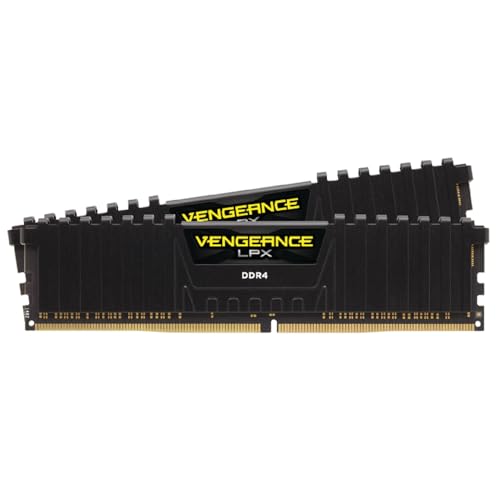
Cheaper DDR4 Alternative: Corsair Vengeance LPX
Available at a reasonable price, this model performs well while taking up minimal space.
DDR5 RAM: Kingston FURY Renegade
Known for its fast speeds and striking RGB, it operates at 6,400 MHz and delivers high performance, albeit at a premium price.
Cheaper DDR5 Alternative: Corsair Vengeance DDR5
This model, priced a bit lower than other DDR5 options, offers great performance for those prioritizing speed and compatibility.
In conclusion, understanding the nuances between DDR4 and DDR5 can significantly save costs and ensure you invest in hardware that meets your needs without overspending.