
When I was little, I had a calculator that did not require batteries and was powered by sunlight or artificial light. That seemed magical to me, and years later, the sensation is almost the same when trying the Logitech Signature Slim Solar+ K980, a keyboard with a name as long as it is descriptive (we will refer to it simply as the K980). This keyboard features many lights (wink, wink) and very few shadows.
This keyboard brings a significant innovation: it does not use batteries that need to be recharged with a USB adapter but instead is equipped with solar cells. The result is surprisingly convincing, although it isn’t without some limitations—one important limitation, in particular.
Logitech Signature Slim Solar+ K980 Technical Sheet
Logitech Signature Slim Solar+ K980 | |
|---|---|
Dimensions and weight | 142.9 x 430.8 x 20.2mm 700g |
Backlight | No |
Light Indicators | Battery status, Easy-Switch keys |
Total Number of Keys | 108 |
Number of Programmable Keys | 23 |
Special Buttons and Keys | AI start key, Action key, Meeting control keys |
Settings App | Logi Tune / Logi Options+ |
Battery | Rechargeable with sunlight or ambient light (>200 lux) |
Autonomy | Up to 4 months on a full charge |
Connectivity | Logi Bolt USB-C (receiver not compatible with Unifying) |
Price | 119.99 euros |
Logitech Signature Slim Solar+ K980 for Business, Wireless Keyboard, Discreet Typing, Secure Receiver, Bluetooth, Windows, Mac – Graphite – QWERTY
The price could vary. We earn commission from these links.
Blessed Solar Cells
The first thing that surprises you about the Logitech K980 is not the keyboard itself, but its packaging. A simple cardboard box that, when opened, reveals three items. The first is the keyboard, wrapped in a lightweight, padded case. The second is the user instructions, printed on the inner cover of the box. The third is the Logi Bolt USB-C receiver, “inserted” in the center of the bottom edge of the box.
In my case, I didn’t even use that receiver: the Logitech keyboard includes Bluetooth Low Energy connectivity, allowing for a seamless connection with my Mac mini M4. The keyboard’s detection is immediate, and from that point onward, I began using it without thinking about the energy source.
The keyboard does not connect to any charger for power or recharge; instead, it utilizes an internal rechargeable battery charged exclusively through solar energy or even ambient light. This ambient light should exceed 200 lux, which is common in brightly lit offices or classrooms.
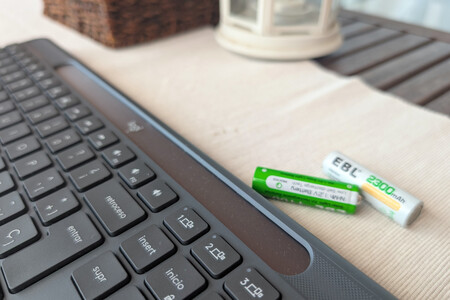
Logitech refers to this technology as LightCharge. Fortunately, my workspace benefits from a window to my left that floods the area with ambient light, ensuring the keyboard remains always charged. If the battery gets low, a warning appears via a small LED in the upper right corner. The Logi Options+ application provides further insights into the battery status.
This solar charging technology is remarkably effective, making the need to even think about the keyboard’s energy source almost invisible. And that’s fantastic because, under normal circumstances, you will hardly ever have to worry about battery life.
The Keyboard in Action
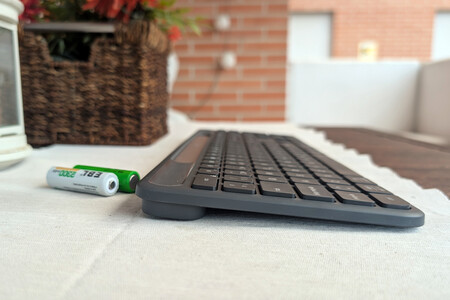
The Logitech K980 is an impressive successor to the K760, Logitech’s former solar keyboard released over a decade ago. It features low-profile keys (hence the “Slim” in its name) and boasts 108 keys, of which 23 are programmable.
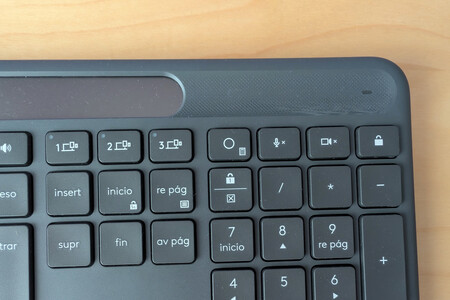
The key labels make it easy to identify special Windows and macOS keys, noting that they use macOS iconography but not Windows. A unique feature is a key that can be assigned to launch AI applications; by default, it opens CoPilot on Windows or Gemini on ChromeOS. However, users can configure this to launch ChatGPT or other models.
The function keys include traditional quick access features (volume adjustment, media playback, camera and microphone controls) and can be programmed for custom tasks. The overall experience feels akin to that of using a laptop keyboard.
I must note that we are working with a membrane keyboard, and its island-shaped, low-profile key design mimics portable keyboards closely. The feel of each key is slightly rough, preventing fingers from slipping while typing, and the travel and pressure required are similar to that experience.
The Light Dominates Everything, but No Backlighting
Ironically, the most significant drawback of this keyboard is that, despite being powered by light, it does not feature backlighting. This could be a dealbreaker for users who typically work in dim environments where they rely on illuminated keys.
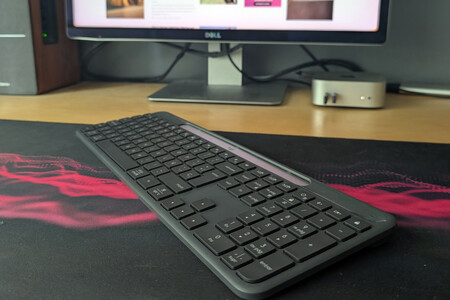
This omission stems from the fact that backlighting consumes a considerable battery charge. Logitech decided that this feature was incompatible with the K980’s solar technology. While it’s unfortunate, especially since backlighting would enhance the overall user experience, this minor disadvantage doesn’t overshadow the keyboard’s many merits.
However, other small cons exist: there are no adjustable stands to tilt the keyboard, nor does it come with a wrist rest. Nonetheless, it possesses everything necessary to meet the demands of most users.
Logitech Signature Slim Solar+ K980, Xataka’s Opinion
The Logitech Signature Slim Solar+ K980 is an interesting alternative if you wish to 1) forget about cables altogether and 2) stop worrying about battery operations. The primary drawback is, as mentioned, the absence of backlighting, which could be an obstacle for some. Beyond that, it stands out for its solar charging capabilities and remarkable customization through the programmable keys.
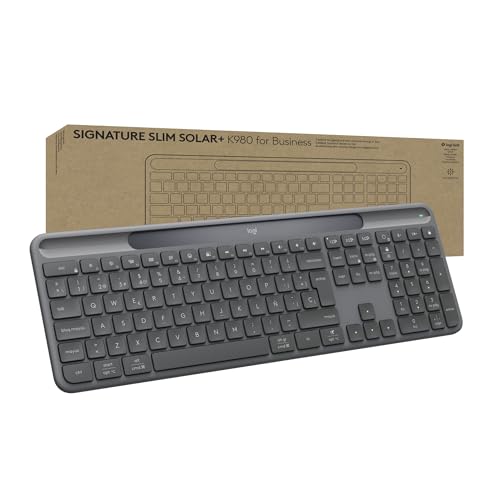
Logitech Signature Slim Solar+ K980 for Business, Wireless Keyboard, Discreet Typing, Secure Receiver, Bluetooth, Windows, Mac – Graphite – QWERTY
The price could vary. We earn commission from these links.
This device has been provided for testing by Logitech. You can consult how we do reviews on Xataka and our relations policy with companies.