
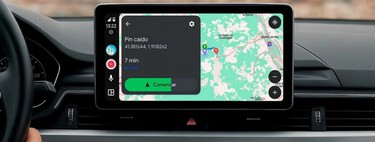
Let’s dive into the latest news about Android Auto 14.8, the new version of Android Auto that Google has officially released for all users. This time, the rollout has taken longer than usual compared to previous updates. Android Auto is designed to integrate seamlessly with Android mobile devices, allowing users to connect their phones directly to their car’s display.
Typically, significant changes aren’t common with each version, and this latest update follows that trend. The update mainly concentrates on enhancing performance rather than introducing flashy new features. Let’s break down the details to ensure you’re fully equipped with knowledge.
Latest Features of Android Auto 14.8
For this particular version of Android Auto, users should not expect any groundbreaking new features upon updating their mobile device and connecting it to their car. Instead, the focus is on resolving existing bugs and improving overall system performance.
This means users can anticipate fewer glitches and a more responsive experience when using the infotainment features. Additionally, the fluidity of content display and app usage is notably enhanced, providing a smoother experience, which many users will certainly appreciate.
However, none of the anticipated updates, such as the transition to Gemini as a replacement for Google Assistant, are available yet. While there’s no specific timeline for when these changes will begin to roll out, users will have to remain patient for enhancements. Furthermore, Google is reportedly working on other changes, but details remain scarce.
The slow pace of updates and their minimal impactful changes can be attributed to the nature of Android Auto. As it is a system designed primarily for vehicles, any oversight or error in its functionality has the potential to be disastrous, making it crucial to roll out modifications carefully. This cautious approach is essential to safeguard both driver and passenger safety.
How to Update to Android Auto 14.8
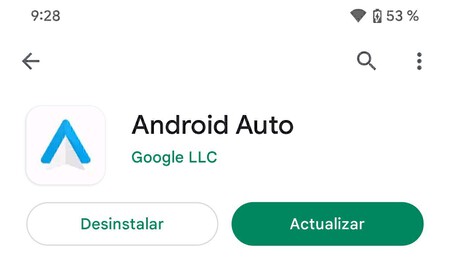
The Android 14.8 version is now stable, making it easier for anyone to update. Users can effortlessly do this via Google Play. Simply check for updates among your installed apps, and you should see Android Auto listed there.
Alternatively, users can opt for a manual download by obtaining the APK from Apkmirror. This option requires you to choose the app version that aligns with your mobile architecture (ARM or ARM64), and then download the latest version available. For most current devices, ARM64 is the likely option. After downloading, install the APK file directly on your device.
Cover image | Eva Rodríguez de Luis
In Xataka Basics | Learn how to clear the cache on Android Auto: a handy trick for troubleshooting.