

Getting Started with Steam
Steam has become the go-to platform for PC gamers, boasting an extensive catalog and vibrant community. Beyond just purchasing games, Steam offers numerous tools to enhance your gaming experience and manage your library effectively.
To kick off, it is crucial to download Steam from its official website. After installation, create your personal account and activate Steam Guard in the security settings to safeguard your profile from unauthorized access.
Exploring the Steam Library

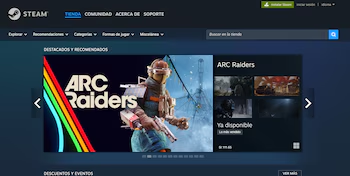
Finding and purchasing games is straightforward. Use the search bar or filter by category to locate your desired title, add it to your cart, and select your payment method. After the purchase, head to your library and click on “Install” to start playing.
Don’t forget, Steam frequently hosts seasonal sales and special events featuring significant discounts. Utilize the wishlist feature to receive notifications on your favorite titles and check platforms like SteamDB for price comparisons.
Game Features and Support
Steam simplifies capturing your gameplay moments with just the press of the F12 key. Access your screenshots in the recordings menu or your user folder. You can customize the capture key in “Settings > In-Game”.
Multiplayer and Mods
Interacting with friends is easy—add contacts through the “Friends” tab using their user codes. You can invite friends to multiplayer games and use voice chat, though some games may require additional servers or launchers.
Many titles support modifications through the Steam Workshop. Access a game page and subscribe to mods that pique your interest. For unsupported mods, check specialized sites like Nexus Mods.
Refunds and Support
Steam’s refund policy is user-friendly. If you need to request a refund, ensure you are within 14 days of your purchase and have not played for over two hours. Go to “Help > Steam Support” and follow the steps to initiate your refund request.
Unique Features of Steam
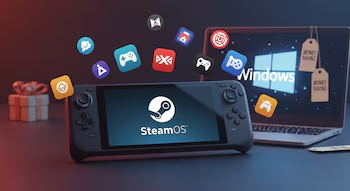
Among its numerous features, Steam’s Big Picture Mode allows you to use the platform on televisions with a controller. Steam Remote Play enables online cooperative play, while Family Sharing allows you to share your library with family members. Additionally, the Proton feature lets you play Windows titles on Linux systems.
By exploring these tools, you can greatly enhance your Steam experience, making it more secure and personalized, and fully utilize every game and feature available.
Exciting New Additions
Steam has recently added four free games to its catalog. One notable title is Heist Royale, a fast-paced multiplayer shooter.

For those craving horror, Dark Chronicles: Reawakening of Evil offers a chilling RPG experience. You can also explore Journey to Shambhala, which invites players into adventures inspired by Eastern folklore, or tackle the psychological challenge in The Backrooms Deluxe 2.
These four games are now permanently available for free download in your Steam library.