

Transferring WhatsApp Chats from Android to iPhone: A Comprehensive Guide
If you’ve just released an iPhone after using an Android device, you may worry about losing your important WhatsApp chats. Fortunately, there’s a reliable method to transfer your chats without losing any data, provided you meet specific requirements.
First, ensure both phones have the latest versions of their operating systems installed: Android 5 (Lollipop) or higher for your old device, and iOS 15.5 or later for your new iPhone. Additionally, it is crucial to have the latest version of WhatsApp installed on both devices.
WhatsApp recommends using the official tool to transfer data to iOS, which is available in the Google Play Store. Adhering to this recommendation will make the transfer process quick and reliable.
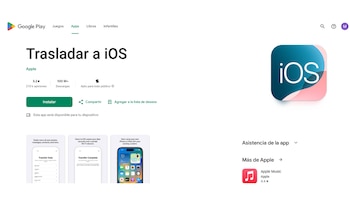
Next, ensure that both devices are using the same telephone number and are connected to the same Wi-Fi network . Here is a step-by-step guide to transfer your WhatsApp chats:
- Open the transfer iOS application on the Android phone and follow the on-screen instructions.
- A code will appear on your iPhone. When prompted, enter this code on the Android phone.
- Touch ‘Continue’ and follow the further instructions displayed.
- On the ‘Transfer Data’ screen, select WhatsApp.
- Click ‘Start’ on the Android phone and wait for WhatsApp to prepare the data for export. When this process concludes, your session will be closed on the Android phone.
- Select ‘Next’ to return to the transfer application on iOS.
- Touch ‘Continue’ to transfer the data from the Android phone to the iPhone; wait for confirmation that the transfer has been completed.
- Install the latest version of WhatsApp on the iPhone from the App Store.
- Open WhatsApp and log in with the same phone number you used on your previous device.
- When prompted, select ‘Start’ and wait for the process to finish.
- Once you complete the activation on the new device, you can access all your chats.

This process allows you to transfer your account information , including profile photo , individual and group chats, communities , channel updates , conversation history , multimedia files , and configurations. However, it is important to note that migrating call history is not possible, and neither are the names of groups showing or multimedia files received through WhatsApp channels.
After completing the transfer, data will remain on the Android device, as it will not be saved in the cloud until you generate a backup in iCloud .
WhatsApp does not have access to the information that is transferred. As long as the app is not uninstalled or the phone not reset, your data will remain available on the Android device. Additionally, transferring WhatsApp call history from Android to iPhone is currently not possible . The messaging platform clarifies that this information is stored only on the original device.
However, WhatsApp guarantees that your essential data like chats, communities, multimedia files, and main settings will remain intact.
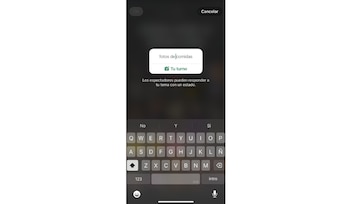
Beyond chat transfers, WhatsApp also offers new features available on both Android and iOS, including the ‘Your Turn’ option in statuses, allowing contacts to reply with their photos, videos, or text to your updates, thus encouraging more dynamic interactions.
Additionally, audio chats now available in both operating systems serve as a Walkie Talkie feature within groups, allowing real-time voice conversations without traditional calls, making communication more agile and less intrusive.
In conclusion, transferring your WhatsApp data from Android to iPhone is not just feasible but also quite straightforward. By following the steps outlined above, users can ensure a smooth transition to their new device while keeping their important conversations and media intact. It’s essential to stay updated with the latest versions of necessary applications and ensure connectivity for a hassle-free experience.