

Let’s explain to you how to take advantage of your old Android using Gemini as an assistant—Google’s artificial intelligence. This comes after Google has extended the use of its AI to older devices, allowing you to reuse them in another way.
We are going to start the article by telling you what the minimum requirements are to use Gemini on a mobile phone that is about five years old or older, and then we will explain what you can do with it.
Requirements to Use Gemini on Android
To utilize Google’s artificial intelligence on your mobile, you need to have a version that is at least Android 9 Pie. This version of the operating system dates back to 2018, so if you have a mobile phone made after that year, it is likely that you have this update.
If your old mobile phone meets this specification, you will have an update that allows you to use Gemini instead of Google Assistant. However, if your phone is seven years old but doesn’t have this version, you may need to search for a custom ROM, like LineageOS, to get the operating system updated.
Moreover, your device should have at least 2 GB of RAM, and you need to link it to a personal Google account. It’s also essential to be located in a region where Gemini is available, such as Spain.
Once you meet these requirements, simply download the Gemini application, available on Google Play. After installation, Gemini will prompt you to set it as your assistant instead of Google Assistant. If it doesn’t prompt you, you can manually configure it in the settings under the default applications section.
How You Can Take Advantage of Gemini
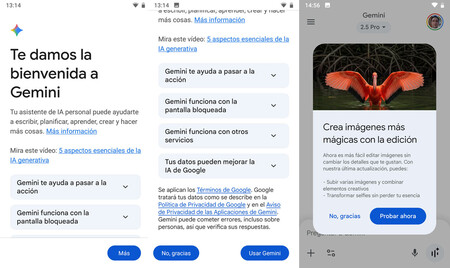
First and foremost, You can use Gemini for the same tasks as with a new mobile, as the functionalities are equivalent. Although the app may not be as fluid and could exhibit minor lag, you will still be able to communicate and receive responses seamlessly.
Gemini also allows you to generate images or videos, in addition to code and graphics. As long as you maintain a good Internet connection, everything will run smoothly. Voice conversation capabilities will work effectively, including the Gemini Live function for real-time conversational exchanges.
Your 5 or 6-year-old phone may not possess the latest camera technology, but you can still leverage Gemini’s features to recognize photo content. You can take screenshots and ask the assistant for information about the captured content, enabling translations or various queries.
You can create your own Gems and utilize existing ones. Keep in mind that everything you do with Gemini will be saved in your Google account history, allowing you to interact with conversations you’ve had on a PC through a browser or another mobile device.

An Old Cell Phone as a Smart Speaker
If you have an old mobile phone you no longer use, you can transform it into an interactive smart speaker by using Gemini. To achieve this, once you’ve configured Gemini as your voice assistant, navigate to its settings and adjust the voice command “Hey, Google” to operate with the screen off. Simply place your phone on a stand, keep it plugged in, and you’ll be able to ask it anything at your convenience.
Utilizing Gemini can help you breathe new life into an old device, expanding its capabilities and enhancing your daily tasks. By configuring it to suit your needs, you’re not just recycling; you’re rediscovering the potential of technology that might otherwise sit idle.