
WhatsApp is an application filled with small tricks and gestures that can simplify your communication experience. While many users may overlook these features, one particularly useful option is the gesture of sliding down the main screen, a function that has been available since last year.
This gesture allows you to filter your chats for better organization, making it immensely helpful for users who want to manage their conversations more effectively. In this article, we will explain how these filters work and how you can customize them to suit your needs.
Slide Down to See Chat Filters
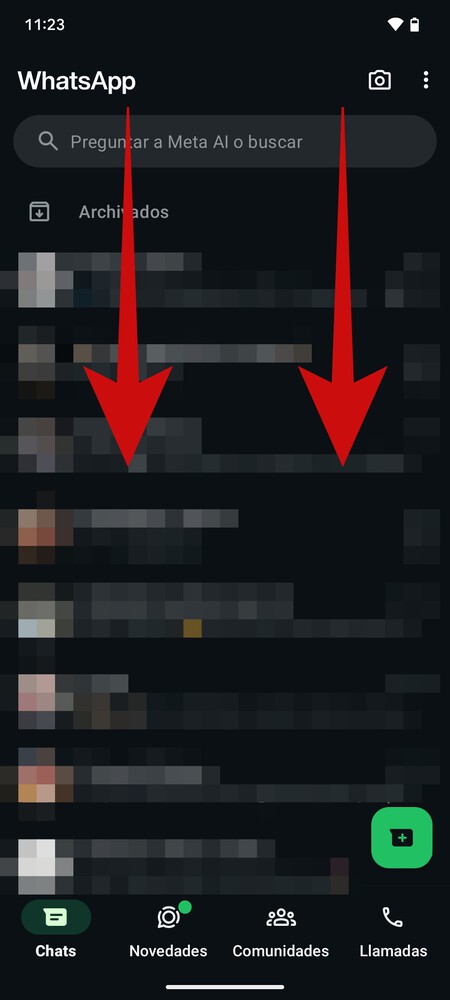
</div>To access the chat filters in WhatsApp, simply navigate to the main screen and slide the screen down . Imagine you’re trying to reveal something hidden above the current view—this gesture “pulls back the blanket” to unveil the filter menu.

</div>Once the filters are revealed, you will find several preset categories, including options to view all chats, unread messages, and groups. Additionally, there is a button to create your custom filters tailored to your preferences.
The operation of these filters is straightforward. When you select one, you will see messages only from the contacts included in that filter. For instance, if you select ‘unread’ , it will display all chats containing unread messages, regardless of the contacts involved.
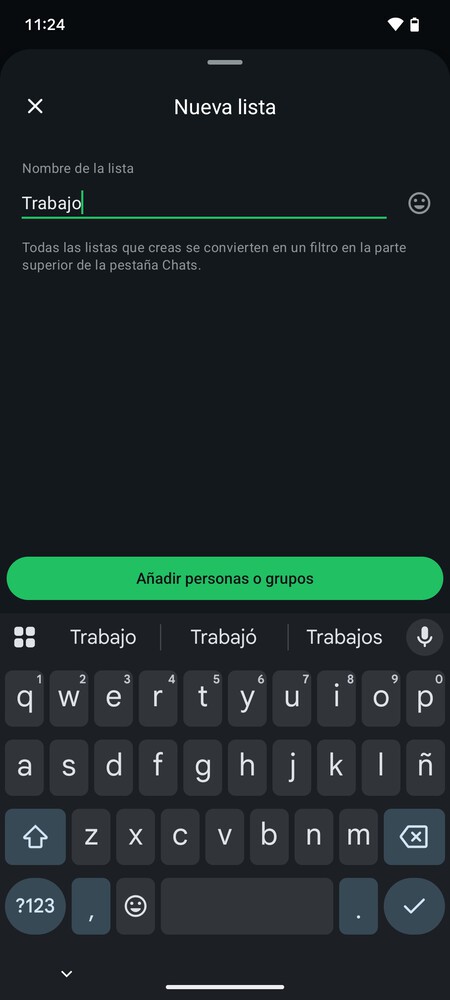
</div>When you click on the creation button, you can assign a new name and add the contacts or groups you want. This way, you can consolidate your chats into a single filter based on friends, classmates, or other criteria that matter to you.
Using these chat filters can significantly enhance your WhatsApp experience. By allowing you to quickly access messages that are most relevant to you, they make managing your conversations less overwhelming. It’s a simple yet effective way to streamline your communication and keep track of important messages or contacts.