
We are going to provide you with several tricks and tips to maximize your use of Squeeze GPT-5, the latest version of the artificial intelligence model utilized by ChatGPT. This updated version introduces new functions and features that we will demonstrate how to leverage effectively.
GPT-5 is accessible to all ChatGPT users, whether free or premium. Many of the features highlighted below will be applicable to both tiers. However, premium users have the advantage of additional functionalities, such as enhanced image editing capabilities.
Before diving into specifics, it’s vital to emphasize reliability as the primary improvement in GPT-5. ChatGPT now delivers responses with greater accuracy. Nonetheless, it is always prudent to verify the information provided, as inaccuracies may still exist.
Unified Model
In prior versions, users had to choose between various models of GPT that optimized for speed or reasoning skills. However, GPT-5 now operates as a unified model, alleviating the need for this choice. When you interact with ChatGPT, it automatically selects the optimal approach based on the complexity of your query. As a useful tip, you can manually indicate your preferred mode by adding phrases like “think more like this,” activating a more reflective response.
Expanded Context and Memory
One of the noteworthy advancements in GPT-5 is its contextual memory expansion. While GPT-4 managed 8,000 context tokens, GPT-5 can store up to 128,000 tokens, nearly 96,000 words. For free users, this translates to about 8,000 tokens—approximately 6,000 words.
In practical terms, this enhancement allows for more extended conversations without losing track of previous dialogues. You can also input longer texts, such as complete articles or reports, for detailed analysis.
Multimodal Understanding
GPT-5 boasts significant improvements in multimodal capabilities. Beyond processing text, it can now understand images, graphics, diagrams, and even video sequences. Previously, GPT-4 had limited image descriptions, but GPT-5 can reason and respond more comprehensively about visual content.
For example, you can upload an image of a book page and request ChatGPT to analyze the content or summarize key points. This feature proves invaluable for educational purposes, especially in mathematics and sciences.
Multiple Image Handling
An additional tip related to its multimodal understanding is the ability to process multiple images. If you send two images in sequence, you can request a comparative analysis, and the AI will accurately address both.
Enhanced Image Creation and Editing
GPT-5 enhances the capacity for image creation and editing. The model now generates images from scratch based on your descriptions and provides improved quality for any images you upload.
A remarkable trick is that you can ask ChatGPT to edit existing photos, whether removing unwanted elements or adding new features like mustaches or accessories.
Code Generation and Game Development
One of the standout features of GPT-5 is its ability to generate code in various languages, now with preview functionality. This means you can create and test programs directly within the ChatGPT environment.
Imagine developing educational games or recreating popular games like “Wheel of Fortune” or “Pasapalabra”. By describing your game idea and providing the necessary details, ChatGPT will generate the code, allowing you to execute and play the game directly.
Voice Mode Enhancement
The voice conversational experience has significantly improved with GPT-5. Both free and premium users can access this advanced voice mode—free users for limited hours monthly, while paying users have nearly unlimited usage.
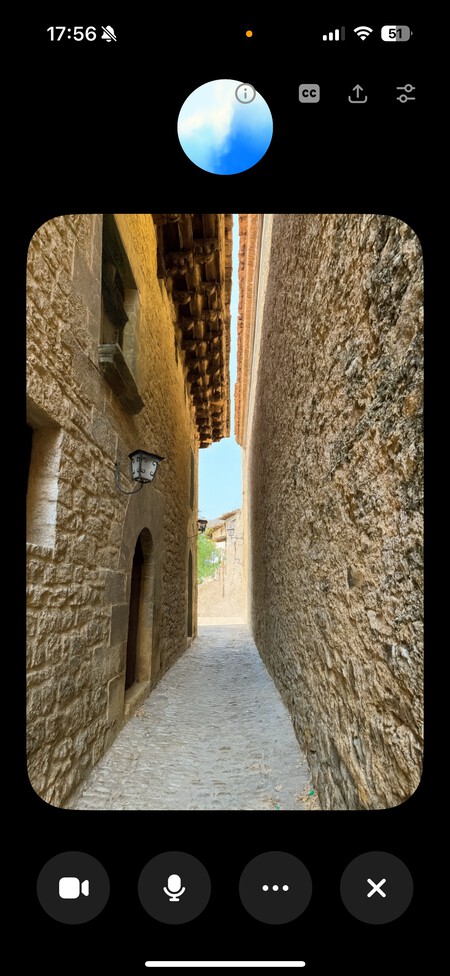
This feature is particularly beneficial for language learning. You can engage ChatGPT as a language teacher, having conversations that help you practice speaking, while it corrects mistakes in real time. Furthermore, the voice mode retains its multimodal nature; you can upload an image during the conversation and ask questions about it.
Study Mode Implementation
Another innovative feature in GPT-5 is the study mode. Activating this mode prompts ChatGPT to assist you step-by-step in answering questions rather than providing direct responses. This educational approach simulates a teaching environment, fostering a deeper understanding of the material. You can even upload notes, as the AI recognizes image content and allows you to inquire about it.
Customizing ChatGPT’s Experience
Customization is now more versatile than ever, including changing the accent color in ChatGPT’s settings. This option can enhance your user experience significantly, especially if you manage multiple accounts, as it allows for easy differentiation between them.
Moreover, you can personalize the AI’s personality—choosing between a cynical, critical tone or a more anecdotally enthusiastic one, among various styles. This feature enables ChatGPT to respond in a manner you find most engaging.
Third-Party Application Integration
In the ChatGPT configuration, you can now find an option called Connectors, linking third-party applications directly to ChatGPT. This integration can enhance productivity, as the AI can interact with your Gmail, Google Calendar, and other applications, making it easy to check appointments, answer emails, and manage tasks seamlessly.
With these updates, GPT-5 sets a new standard for usability and functionality in artificial intelligence. Embracing these features will allow users to unlock the full potential of ChatGPT, making it an indispensable tool for various tasks. Whether for work, education, or personal use, mastering these tools will empower you to make the most out of your ChatGPT experience.