
As of 2026, the minimum retirement age has increased to 66 years and ten months, reflecting a two-month rise from the previous year. If you are nearing this age and wish to understand the specific years and months you can retire, this information is crucial for your planning.
This guide will also help you learn how to determine your retirement eligibility using a tool that considers your work history. By doing so, you can assess when you can retire and estimate the amount of your contributory pension.
Minimum Retirement Age in 2026
The new minimum retirement age reflects changes that will alter the landscape of retirement planning. Starting from January 1, 2026, individuals will need to wait until they reach 66 years and ten months of age to retire. This new age requirement marks a gradual increase that started last year and continues a trend of extending the retirement age over the next several years.
It’s essential to stay updated with these changes, especially if you are closer to retirement age. You can refer to a detailed retirement table to track future adjustments and how they may impact your retirement plans.
How to Know When It’s Time to Retire
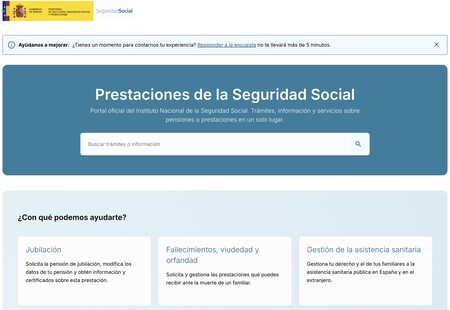
To find out your specific retirement date, you can utilize the retirement simulator available on the Social Security website. Visit benefits.seg-social.es and navigate to the Retirement section. This tool guides you through the application process and provides tailored insights into your retirement options.
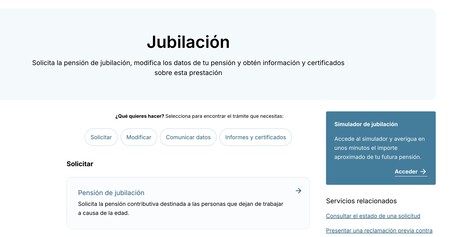
Once you are on the page, click on the Access Retirement Simulator button. This takes you to the tool, where you can enter your specific circumstances.
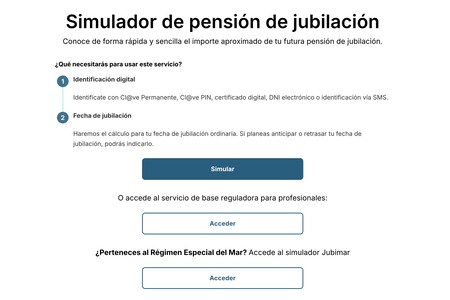
On the simulator page, you will find various options to tailor your retirement plan. Simply click the Simulate button to initiate the process.

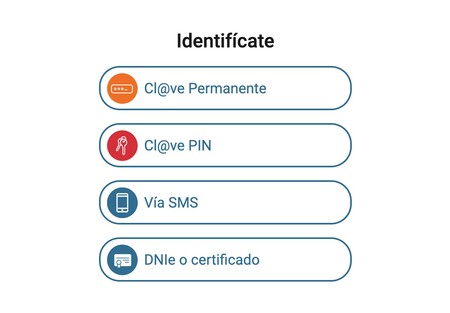
Next, you will need to identify yourself using one of the available options like the Permanent Cl@ve, Cl@ve Pin, SMS verification, or your DNIe/digital certificate. Select your preferred method and follow the prompts to identify yourself.
Once you are logged into the simulator, you can edit and confirm your personal details. After customization, you will be able to view your retirement pension simulation, which will clearly indicate the exact date on which you can retire along with the expected amounts you will receive.
For additional resources, consider reading articles on retirement benefits that can guide you in requesting cards for Social Security retirees and taking advantage of various discounts.