
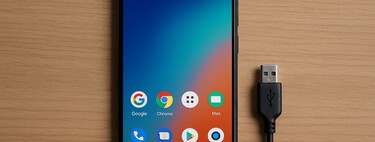
Let’s explain What are USB blockers, a very interesting security method to consider when charging your phones or PCs in public USB ports. These are essential adapters to have while traveling, as they can help you avoid unnecessary problems and potential security breaches, even though they are still relatively unknown.
In this article, we will explore the concept of USB blockers, how they work, and what to look for when purchasing one of these digital shields.
What are USB Blockers?
There are two golden rules to protect your computer or mobile device when you are out and about: avoid connecting to public Wi-Fi networks and refrain from plugging your device into public USB ports. The rationale behind this is simple: you can never be too sure when a cybercriminal might exploit these shared resources to gain access to your device, either through insecure public Wi-Fi or by injecting malware via a public USB connection.
When it comes to protecting yourself on public Wi-Fi, utilizing a VPN is a good option, as we have discussed in other articles. On the other hand, USB blockers are your best defense when using public USB ports, especially when you have no other choice!
Sometimes your mobile or laptop runs low on battery, and the urge to connect to that USB port at a bar, restaurant, or airport can overshadow your caution regarding potential malware waiting to infect your device.
Why is it dangerous to connect to a public USB? The risks include techniques known as “Juice Jacking” or “Choicejacking”, which can transmit information through the cable without your consent. Essentially, if you start charging your mobile through a compromised USB port, malicious software could either transfer to your device or extract personal data from it.
This is where USB blockers come into play. These are devices designed to make connections to public USB ports safe, acting as an intermediary between your device and the USB port. They leverage a technology that only allows energy to pass through, preventing data transfer.
How USB Blockers Work
USB blockers are small adapters that connect between your charging cable and the USB port. Think of it as a safety mechanism: you connect the charger cable from your device to the blocker, and then plug the blocker into the USB port. This way, your connection is safely established.
These adapters are equipped with internal technology that isolates the USB data lines. Consequently, they allow energy to pass but block data transfer, enabling you to use a USB port to charge your mobile device or laptop while safeguarding against data breaches.
Since these adapters don’t permit data transfer, they typically lack all the internal pins found in traditional USB adapters. When you connect a cable to a USB adapter, several pins work together to facilitate both data and energy transfer. In these blockers, those specific pins responsible for data transfer are absent.
It’s that simple—no extra effort required. The device features a USB input to plug your charger cable into and a connector to use with the public USB port.
How to Choose the Best Blocker
USB blockers are not particularly expensive, but it’s essential to make an informed choice. Firstly, beware of opting for the cheapest options, as they may not effectively block all data transfers or could interfere with fast charging capabilities.
When evaluating blockers, ensure they explicitly state that they preserve the unlocked USB-C Superspeed and USB2 D+/D- lines. Although these terms may seem complex, they ensure that data transfer is disabled while allowing for fast charging.
Finally, remember that USB blockers do not provide complete protection. They only eliminate the connection lines, but various other threats may use different techniques. Hence, carrying an external battery or using a traditional wall outlet is always a safer option than relying on a public USB.
It’s also wise to familiarize yourself with some renowned brands of these devices. For example, Xataka Android recommends models like this Startech model. Its design noticeably lacks the full array of pins found in traditional USB adapters.
In summary, USB blockers are a practical solution for safeguarding your devices when public charging is necessary. Understanding their functionality and selecting the right one can significantly enhance your device’s security. However, prioritizing safe charging habits, such as using personal chargers or batteries whenever possible, is always the best approach.