
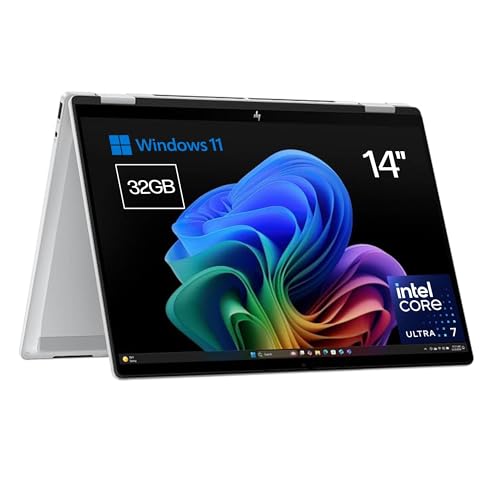
The ultrabook family from well-known and reputable laptop manufacturers has recently been navigating between Core Ultra processors and Snapdragon X chips, depending on whether one prioritizes power or battery life. The new HP Omnibook X Flip 14 opts for power, though the manufacturer offers choices equipped with AMD or Qualcomm chips as well. Models featuring Intel processors and those with AMD’s Ryzen chips embody the spirit of compact convertibles , allowing users to enjoy the flexibility of a generous tablet-like display or multimedia playback mode. Offering choices is always a plus for consumers.
Technical Specifications of the HP Omnibook X Flip 14
HP Omnibook X Flip 14 | |
|---|---|
Screen | 14 inches multitouch OLED 2880 x 1800 pixels 48-120 Hz HDR 500 nits |
Processor | Intel Core Ultra 7 258V |
GPU | Intel ARC 140V GPU |
RAM | 32 GB LPDDR5X |
Storage | 512 GB to 1 TB (PCI Express NVMe 4.0) |
Ports | 2 x USB Type-A 10 Gbps |
Weight | 1.38 kg |
Webcam | 5 MP with Windows Hello Privacy physical switch |
Battery | 59 Wh Fast charging with a 65W compact adapter |
Operating System | Windows 11 |
Price | Starting from 999 euros |
HP Omnibook X Flip – Convertible 14″ 2K IPS Touchscreen Intel Ultra 7-258V EVO, 32GB RAM, 1TB SSD, Intel ARC Graphics, Windows 11 Home Silver – Spanish QWERTY Keyboard
Price may vary. We receive a commission for these links
Design and Display: Perfectly Crafted for a Touch Convertible
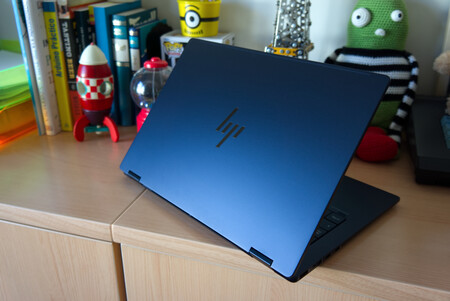
Regardless of whether it features Intel, AMD, or Snapdragon, one non-negotiable aspect of the HP Omnibook X Flip 14 is its sleek design and meticulous attention to detail. The new convertible showcases an elegant design in a deep blue shade, exclusive to the Intel Core Ultra version, and a notably compact size . This is particularly evident in the minimal bezels surrounding the screen, especially on the sides.
The color and meticulous detailing make the HP Omnibook X Flip 14 a visually striking device.
As a convertible, weight is crucial, and HP has managed a decent 1.38 kg . The thickness is also minimal, remaining under 1.5 cm. This balance results in a device that offers both comfort and durability , ideal for portability.
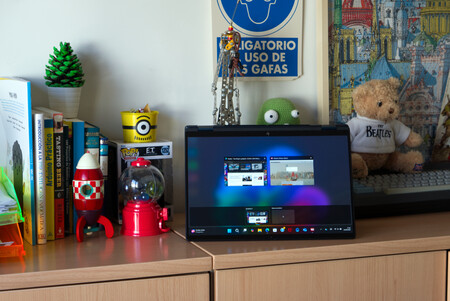
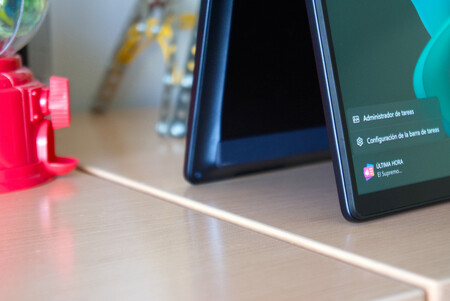
Another crucial feature in convertibles is the hinges. Instead of a full-width hinge, HP employs two classic hinges that offer a wide air outlet. These hinges appear robust and allow for any inclination within the 180-degree range granted by this device.

The casing features an anodized metallic finish, and HP emphasizes its eco-friendly aspect by using recycled materials, including plastics. The gentle contours of both the lower and screen edges are quite pleasing to the touch. The matte finish of the blue shade tested here is relatively resistant to smudges and dirt, although not entirely immune.
When it comes to connectivity, users will find two USB-A ports (10 Gbps), one on each side, an HDMI 2.1 port, and two USB-C ports (one Thunderbolt 4 and another with DisplayPort 1.4a).
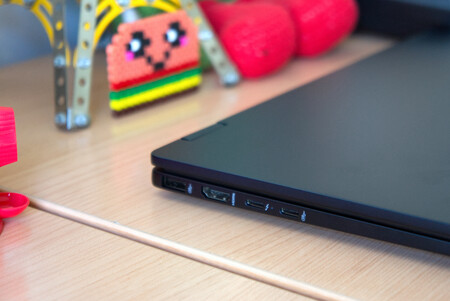
The two USB-C ports are located on the same side, which is somewhat inconvenient as they handle device charging, thus limiting options. Additionally, there is a 3.5 mm headphone and microphone combo.
In terms of wireless connectivity, the device features Wi-Fi 7 as expected and Bluetooth 5.4. However, it lacks a fingerprint reader, relying on the 5 MP webcam compatible with Windows Hello. This webcam features both a physical shutter and AI-powered sound and image enhancement technologies, dubbed Poly Pro by HP.
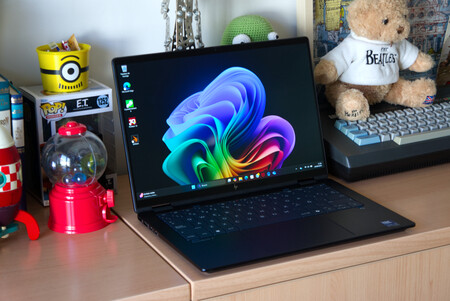
Now let’s analyze the display of the HP Omnibook Flip 14. It is undoubtedly the standout feature of the device. We’re talking about a tactile AMOLED panel measuring 14 inches with a 16:10 aspect ratio, ideal for mixed-use scenarios.
In addition to its high-quality visuals, the AMOLED panel with a 3K resolution and a refresh rate of up to 120 Hz allows for a delightful user experience.
The OLED display is protected by Corning Gorilla Glass 3, has a response time of 0.2 ms, and covers 100% DCI-P3 . The impressive 3K resolution (2880×1800 pixels) makes it a delight for both entertainment and work tasks. The refresh rate is variable between 48 and 120 Hz .
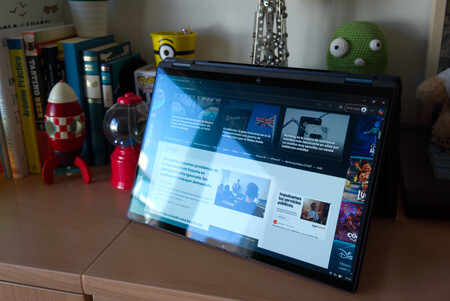
The edge-to-edge glass accentuates the immersive feel that is essential for compact devices, achieving a 90% screen-to-body ratio .
In terms of brightness, the display in SDR mode is slightly above standard (400 nits), while in HDR mode it reaches 500 nits . While suitable for indoor viewing, the display struggles with glare in bright outdoor conditions, so a matte finish version would be advisable for devices frequently used outside.
As a convertible, fingerprints on the panel are a significant concern. The HP Omnibook Flip 14 shows minimal greasy marks during use, providing high touch precision, although Windows 11’s interface doesn’t always complement this quality.
The audio quality from the HP Omnibook Flip 14 is robust and clear, with its speakers strategically placed for optimal sound delivery.
Audio is handled by two DTS:X Ultra speakers , positioned thoughtfully, ensuring that sound remains unobstructed whether the device is in laptop mode, stand mode, or even closed as a tablet. This design is especially beneficial for multimedia consumption in stand mode, as the sound is directed frontward.
Power and Battery Life: Core Ultra Shines
The Core Ultra processors from Intel have proven to be a great success in the ultrabook format, offering a delicate balance between power , battery life , and thermal performance .
This HP Omnibook Flip 14 variant is equipped with the Intel Core Ultra 7 258V (up to 4.8 GHz with Intel Turbo Boost, 12 MB L3 cache, 8 cores, 8 threads). It has consistently shown its efficacy, providing ample strength for this type of device without compromising acceptable battery life and superior graphical performance thanks to the Intel Arc 140 V GPU (16 GB).
The best variant of this device, armed with Intel chips, is accompanied by 32 GB of LPDDR5x RAM running at 8533 MB/s, and a 1 TB PCIe Gen4 NVMe M.2 storage unit, which, based on our tests, delivers satisfactory performance, although it does not lead the sector.
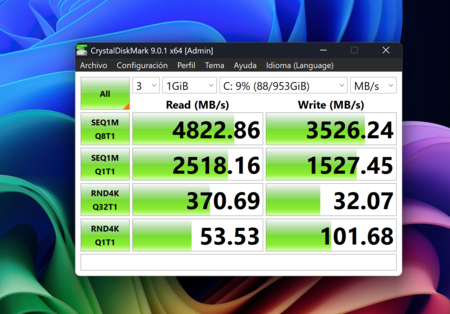
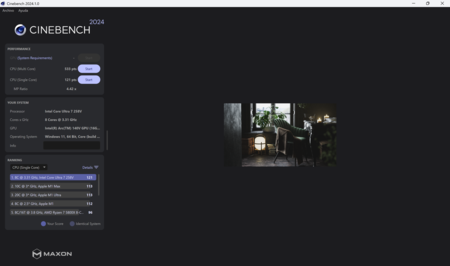
This technical specification, even with the 3K panel, guarantees a fully smooth and fulfilling experience for all tasks. Benchmark data aligns closely with similar-featured devices, showcasing exceptional performance, especially in single-core tasks. In PCMark, it recorded a score slightly above 7,000 points.
HP Omnibook X Flip 14 | Apple M3 | Core Ultra 9 | Lenovo Thinkpad 14s | Acer Swift 14 IA | |
|---|---|---|---|---|---|
CINEBENCH 2024 MULTI | 533 | 652 | 681 | 705 | 590 |
CINEBENCH 2024 SINGLE | 121 | 141 | 102 | 107 | 111 |
GEEKBENCH 6 SINGLE | 2,619 | 3,187 | 2,395 | 2,447 | 2,632 |
GEEKBENCH 6 MULTI | 10,799 | 12,059 | 13,414 | 14,075 | 11,082 |
This HP Omnibook X Flip 14 does not compete with ARM-based devices in terms of silence during operation. Users will notice that this relatively powerful device tends to need active fans, especially in warmer weather, though the generated noise remains unobtrusive. However, it cannot be considered silent.
Operating temperatures remain controlled, but with demanding tasks, the bottom of the device can feel uncomfortable on laps. The good news is the device stability remains excellent , even when experiencing heat.
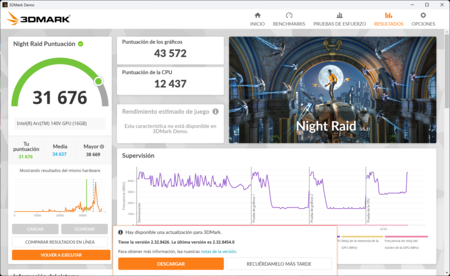
In terms of graphics, Intel shows strength, leading among laptops without dedicated graphics. However, some competitors offer superior performance with similar configurations; this model scored 31,676 points in the Night Raid test and 2,800 in the Steel Nomad test from 3DMark .
This HP model is preloaded with some bloatware, particularly related to antivirus software and shopping web links, but nothing overly concerning. One feature designed to differentiate this HP device from competitors is the AI Companion . However, this AI suite remains in beta even a year post-launch, and its contribution has not proven particularly substantial.
The HP Omnibook X Flip 14 comes with a 59 Wh lithium polymer battery, averaging 6 to 8 hours of real-world usage, including video playback, web browsing, webcam use, and office tasks. While this isn’t outstanding for an ultrabook, it does feature fast charging, reaching 50% in just over half an hour. The included even comes with a 65W compact charger , one of the most compact we’ve encountered, coupled with a patterned USB-C fabric cable, adding an air of exclusivity to the package.
Keyboard Visibility Under Any Condition
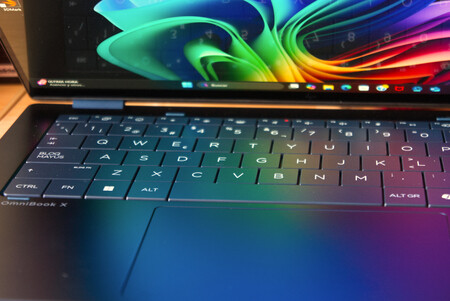
The HP Omnibook X Flip 14’s keyboard matches the casing’s color and finish, featuring dramatic key lettering that enhances visibility in all lighting situations. In the tested blue color, it is attractive and allows for easy reading both in light and dark conditions.
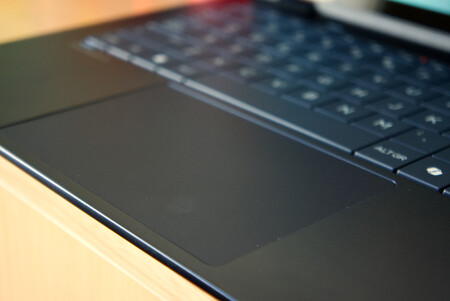
The keyboard spans across the width of the laptop, is backlit with two brightness levels , and has a satisfying typing response that’s comfortable for extended periods. The touchpad, while not overly large, offers more than enough space for smooth and precise navigation.
HP Omnibook X Flip 14: Xataka’s Opinion and Rating
With the foundational Core Ultra 2 SoCs from Intel still evolving, the HP Omnibook Flip 14 manages to provide a unique substitute to traditional ultrabooks with its convertible format cleverly veiled in an exquisite design. Its versatility shines with the 3K OLED panel that is bright and particularly satisfying for multimedia utilization thanks to its strategically placed dual speakers. Regrettably, the battery life is less than ideal.
The presence of AI remains as an innovative touch, but lacks significant differentiation compared to both the HP offerings and its primary competitors.
8.7
Design 9.25
Display 9
Performance 8.5
Keyboard/Trackpad 9
Software 8.5
Battery 8
Pros
- Elegant and visually striking design
- Convertible capabilities with strong configurations
- One of the best OLED 3K displays available
Cons
- Reflective display struggles in bright environments
- Battery life isn’t optimal for an ultrabook
- Limited configuration options
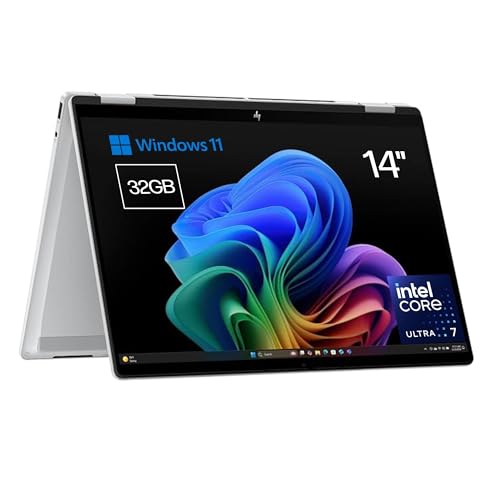
HP Omnibook X Flip – Convertible 14″ 2K IPS Touchscreen Intel Ultra 7-258V EVO, 32GB RAM, 1TB SSD, Intel ARC Graphics, Windows 11 Home Silver – Spanish QWERTY Keyboard
Price may vary. We receive a commission for these links
Images | Xataka
This device was provided for testing by HP. You can check how we conduct reviews at Xataka and our policy regarding relationships with companies.