
Let’s tell you How to improve the sound of your Android mobile by activating the HD audio option. This feature, though somewhat hidden, enhances the audio quality for both the phone and any compatible devices you connect, such as headphones.
However, it’s essential to remember that while this option is available by default on many Android devices, the mobile must be compatible with high-definition sound. If your device does not support this feature, the option may appear, but it cannot be enabled.
Improves Android’s Sound with HD Audio
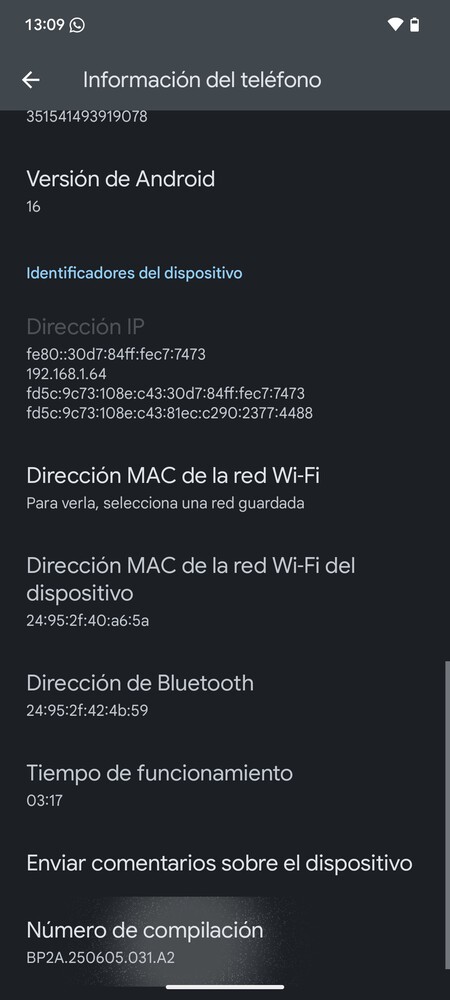
The first step to improving the sound quality is to activate developer options. To do this, go into the Android settings and find the section labeled Device information or About phone. Once you enter this section, you need to tap on Build number multiple times—usually seven. Keep tapping until you receive a message indicating that Developer Options have been enabled.
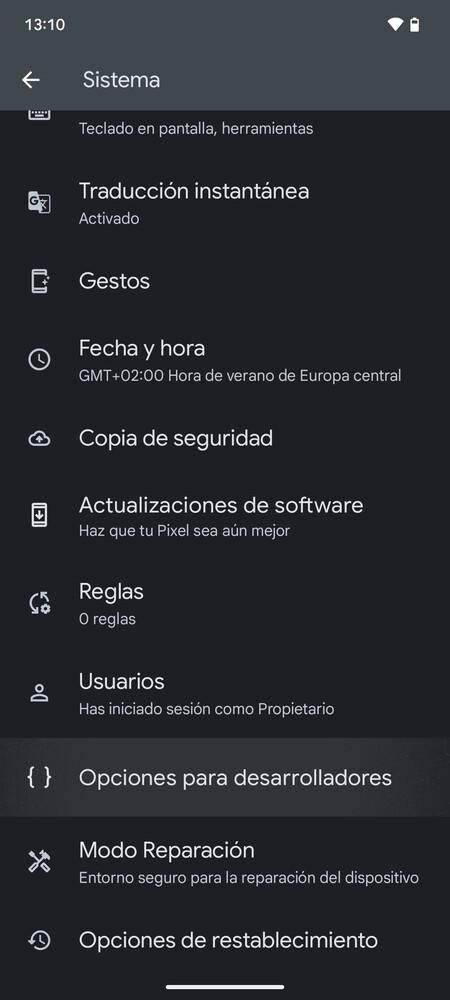
Next, locate and click on Developer options. This can usually be found directly in the settings menu or under the System section, depending on your device and manufacturer.
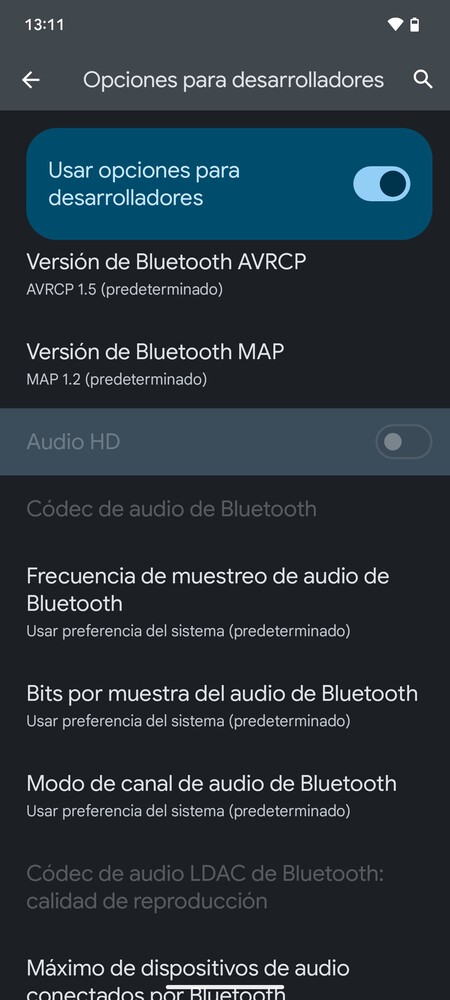
Once within the Developer Options, search for and activate the HD audio option. If you have trouble locating it, utilize the search feature located at the top right of the screen. Remember, this option can only be enabled if your mobile device is compatible, so be prepared for the possibility that it may not be available on all devices.
Exploring the nuances of audio quality on your smartphone can open up a plethora of experiences, whether you’re a casual listener or an audiophile. From enhancing music experiences to improving call quality, utilizing features like HD audio can drastically change how you perceive sound.
By navigating through your device’s settings and activating features designed to enhance audio, you’re taking the first step toward a richer auditory experience. Just remember to ensure compatibility and try experimenting with various settings to find what suits you best. The beauty of Android lies in its versatility, allowing you the freedom to personalize your audio experience according to your preferences.
Once you’ve activated the HD audio option, you may want to test its capabilities with various audio formats. Experimentations with high-fidelity audio tracks can showcase the enhancements that are now possible, making your music and media truly come alive. Utilize quality headphones or speakers to maximize your experience, giving your ears the treat they deserve.
Overall, taking the time to explore these features doesn’t just improve the audio quality of your device but also deepens your appreciation for the soundscapes that surround you, enhancing every moment spent listening.