
In today’s digital world, expressing emotions and sentiments has become easier and more creative than ever. WhatsApp stickers have taken over traditional text messages, allowing users to send personalized touches in their conversations. You can now create your very own custom WhatsApp stickers using Gemini , an artificial intelligence platform. This guide will walk you through two different methods to design stickers that capture your unique style and expressions.
We will start with the first method, which is straightforward and user-friendly. This approach involves using Nano Banana within Gemini alongside a photograph and a creative prompt. Afterward, we’ll delve into another exciting method that allows you to create a complete sticker pack using a dedicated application for Gemini. Both procedures are incredibly simple!
How to Create a Sticker Using Gemini
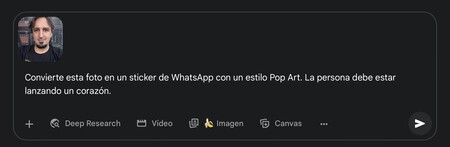
To create a sticker based on a photograph using Gemini, simply upload the photo and include a prompt that describes your desired outcome. For instance, you might use the following prompt:
“Convert this photo into a WhatsApp sticker with a pop art style. The person must be throwing a heart.”
You can tailor this prompt as per your needs. The key is to specify that it is a WhatsApp sticker and mention the artistic style you prefer. Then, describe the action or emotion you want the subject of the photo to express — it’s all up to your creativity!

Once the sticker is generated, you can easily download it. Now, you can utilize the methods described to turn any image into a sticker directly on WhatsApp. Simply upload the image in a chat (for instance, to yourself) and select the option to create a sticker in the sharing menu. Just like that, you have your custom sticker ready to use!

Create a Sticker Pack with Gemini
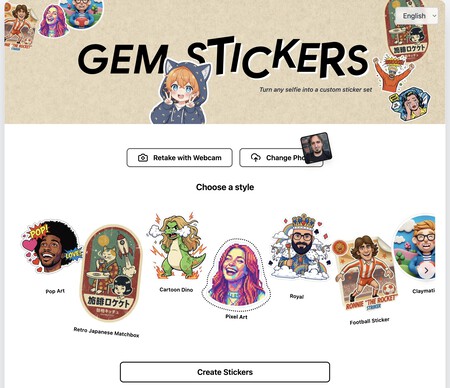
Another fantastic way to create customized stickers is by using an application designed for Gemini. This is also quite simple, and you can begin by visiting this link. Once you’re on the website, accept the necessary permissions it requests.
You will be directed to a screen where you can choose how to upload your photo — either via a webcam or by uploading an image from your device. Once you’ve selected your method of upload, pick the desired style from the options provided underneath, and click on Create Stickers.
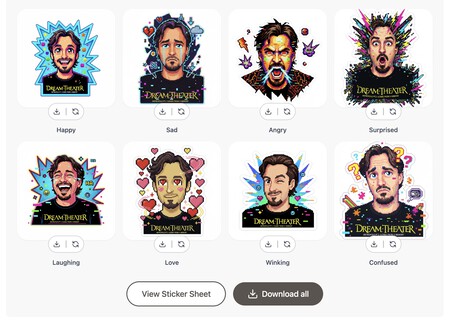
The application will then immediately generate a collection of stickers. You can download them individually, modify any that don’t quite meet your standards, or download an entire pack. Feel free to repeat the process as many times as you wish for excellent results.
WhatsApp stickers are a modern and enjoyable way to enhance your chats with friends and family. Whether it’s a goofy facial expression or a vibrant depiction of your favorite cartoon character, the possibilities are endless. With just a little creativity and the right tools, you can express yourself in ways you never thought possible. Happy sticker-making!