
In today’s digital age, creating stunning event posters has never been easier, thanks to artificial intelligence (AI) . This guide will explore three different methods to create eye-catching event posters using AI tools, ensuring the designs align with your vision.
Before diving into the actual process, there are several important considerations to keep in mind when designing your poster. We’ll start by discussing essential tips before moving on to different AI tools like generative image chats, dedicated AI image generators, and graphic design platforms.
Essential Tips for Designing Your Event Poster
Before you begin designing your poster, think about the type of design you envision. Consider factors such as the style you want—whether it’s casual, professional, or festive—as well as the imagery and colors that will best represent your event. Every element counts, so having a clear vision is crucial.
Next, determine your target audience . Understanding who your audience is will affect the tone and style of your poster. A poster for a casual party will differ greatly from one advertising a business seminar.
You should also have a clear list of key elements to include on your poster. Essential information such as the event name, date, time, and location should be clearly displayed. Depending on the event’s nature, you may also need to include branding elements like logos.
It’s critical to review your design before finalizing it. AI can make mistakes, such as displaying incorrectly written words or images that don’t align well. Don’t hesitate to redo the design as needed until you are satisfied with the final outcome.
Lastly, it’s essential to remember that automated designs may not achieve the same quality as those created by professionals, and they might not reflect a unique style. Understandably, this might deter some audiences from engaging with your AI-generated poster.
Using Generative AI Chats for Poster Creation
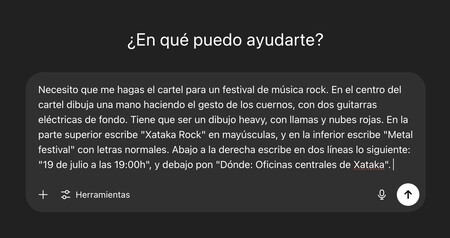
One effective way to create a poster using AI is via generative chat tools like ChatGPT. For this approach, you’ll craft a detailed prompt that describes exactly what you want. Here’s an example:
I need a poster for a rock music festival. In the center, depict a hand making the “horns” gesture, flanked by two electric guitars. Include red flames and clouds for dramatic effect. At the top, write “Xataka Rock” in capital letters, and at the bottom, place “Metal Festival” in normal text. To the right, include “July 19 at 7:00 p.m.” and “Where: Xataka Central Offices” below it.
Note how this example specifies both the visual elements and the text placement. You should adapt the prompt to fit your specific needs, including any color preferences or other details.
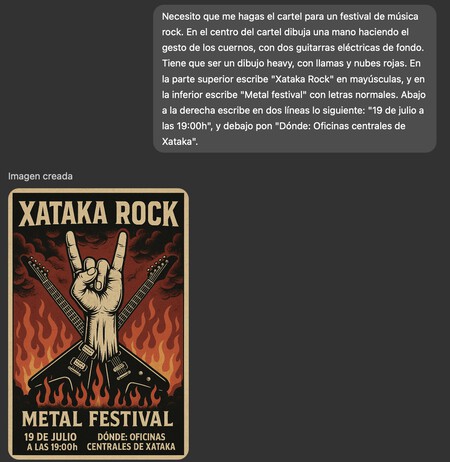
Don’t hesitate to make extensive requests; the more details you provide, the better the AI result. If the initial output doesn’t meet your expectations, you can request adjustments directly in the same conversation.
Creating Images with Ideogram
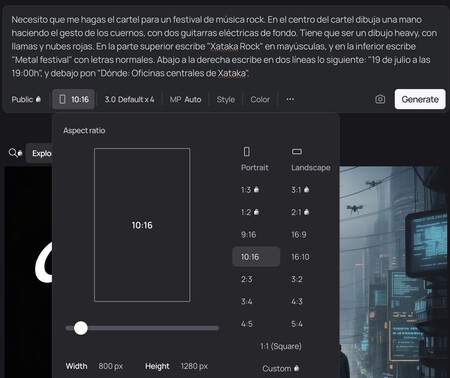
Another excellent AI tool for poster creation is Ideogram, which specializes in generating images. With Ideogram, you can simply articulate what you want to depict in your poster, thus benefiting from the AI’s ability to create high-quality visuals.
A distinctive feature of Ideogram is its capability to define exact aspect ratios for your images. Once you receive your generated image, you can also utilize additional tools to remix, resize, or make further adjustments as necessary.
Designing with Canva

Finally, Canva is a highly versatile tool that integrates AI for design purposes. To begin, visit canva.com and select the Canva AI tab. Describe the poster you wish to create, using the same elements from the previous prompts.
Specify the image proportion , and if you require text in languages other than English, make sure your prompt reflects that. Canva also allows users to search for existing templates, which can then be customized to your liking.
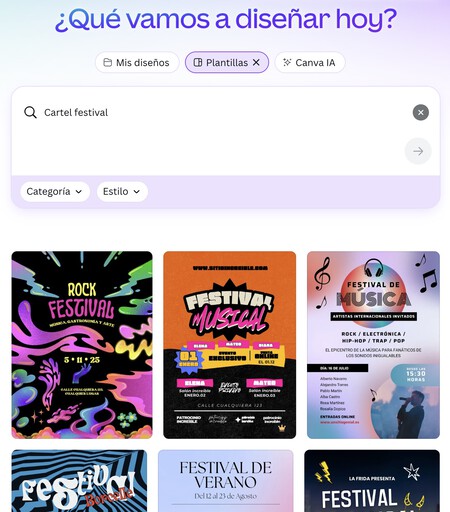
Once you choose a template, you can click “Open on the editor” to customize and modify the design as needed. Utilize AI tools available in Canva to enhance your design by selecting elements for editing or introducing new AI-generated components.
Creating posters using artificial intelligence can significantly enhance your workflow and creativity. Whether you opt for generative chats, specialized image creation tools, or comprehensive design platforms, the possibilities are endless. The key lies in meticulous planning and a clear vision. Enjoy the design process!