
How to Create a “Chibi” Style Sticker Pack
Creating a “Chibi” style sticker pack is an exciting way to personalize your digital messaging experience. Chibi, a Japanese art style, features characters with exaggerated facial expressions and adorable features. In this guide, we’ll walk you through the process of creating your own Chibi stickers using artificial intelligence through platforms like Gemini or ChatGPT.
Generating Your Chibi Sticker Pack
Once you have your sticker pack generated, you can easily cut out each design and use them for personal projects or messaging apps like WhatsApp. The amazing benefit of the prompt we’ll share is that it generates a series of predetermined expressions that you can customize, enabling you to create a uniquely expressive sticker pack.
Step 1: Uploading Your Photo
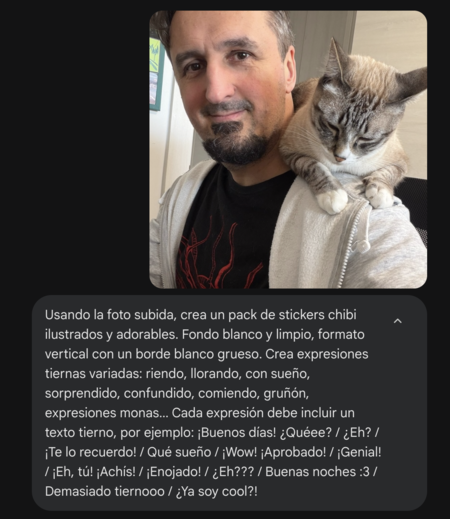
The first step in creating your Chibi stickers is to upload a clear photo of your face. Selfies work best, as they allow the AI to capture your unique features accurately. A well-lit photo can significantly enhance the quality of the sticker pack.
Step 2: Using the Prompt
After uploading your photo in the Gemini or ChatGPT interface, you will need to enter the following prompt:
Using the uploaded photo, create a pack of adorable, illustrated chibi stickers. Clean white background, vertical format with a thick white border. Create various tender expressions: laughing, crying, sleepy, surprised, confused, eating, grumpy, cute expressions… Each expression must include a tender text, for example: Good morning! Whatee? / Huh? / I remind you! / What a dream / Wow! Approved! / Brilliant! / Hey, you! Achís! / Angry! / Huh??? / Good night :3 / Too cute / Am I cool now?!
It’s crucial to send both the photo and the prompt simultaneously for the AI to work effectively.
Step 3: AI Processing
Once you’ve submitted the image with the prompt, the AI will generate a set of Chibi stickers based on your photo. The final output will be a single image that contains all the stickers you requested in various expressions. This makes it easy to manage your sticker collection.
Step 4: Cutting and Using Your Stickers
Now comes the fun part! You can digitally cut out each Chibi sticker from the generated image. Use photo editing software or applications like Canva or Photoshop to ensure you get clean edges. After cutting them out, save each sticker in a format compatible with your messaging app.
Using Your Stickers on WhatsApp
To use your freshly created Chibi stickers on WhatsApp, you can follow these simple steps:
- Transfer the sticker images to your phone.
- Use a sticker maker app to create a sticker pack and import your images.
- Follow the app’s instructions to upload the stickers to WhatsApp.
Conclusion
Creating a Chibi sticker pack from your photos is a fun and creative way to express yourself in your digital communications. By following these steps, you’ll have a unique set of stickers to use on WhatsApp or any other platform you prefer. Get started today and let your creativity shine!