
To add all the World Cup matches directly to your calendar, whether it’s Google Calendar or Apple Calendar, you’re in for a treat! This method makes it easy to keep track of matches and schedules, ensuring you don’t miss a game.
This feature is made possible by the community of users who have created specific calendars that can be easily added to your personal account. These calendars include the entire group stage of the World Cup matches and even send notifications 5 minutes before each game. The calendars will be updated with subsequent rounds as the event progresses.
However, it’s important to note that you’ll be adding a third-party calendar created by another user. Be cautious, as this can introduce risks such as malicious links. Below, we’ll suggest two calendars and guide you through adding them step by step.
Options for World Cup Match Calendars
Here are two excellent options for you to add to your calendar. The first is from user @augustonarvaez8 on X, which offers a Google Calendar version as well as an Apple Calendar version. Another alternative is the iSpooker version, which provides links for both calendars and an online version. Simply click the link corresponding to your choice of calendar and follow the respective steps.
How to Add Matches to Google Calendar
Follow these steps to add the matches to your Google Calendar:
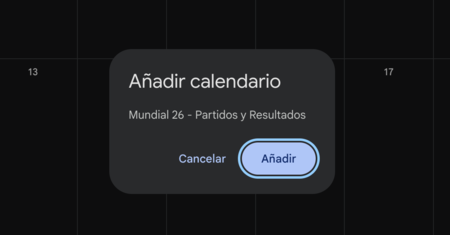
To get started, click the appropriate link for Google Calendar. This will open directly in Google Calendar, where you will be prompted to grant permission. Simply click the Add button in the window that appears.
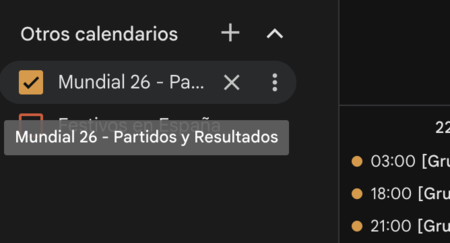
After doing this, you’ll find the World Cup calendar listed under Other calendars. You have the flexibility to activate or deactivate it at any time and even customize it, assigning specific colors to your events.

Click on any match for additional information provided by the calendar creator. You’ll find detailed schedules, teams playing, and more.
How to Add Matches to Apple Calendar
The process for Apple Calendar is slightly different but straightforward:
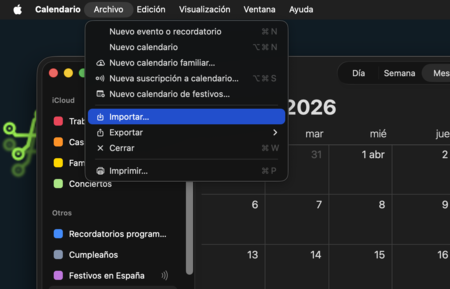
By clicking the calendar link for Apple, you will download an .ics file, which is the standard format for calendars. Next, open the Apple Calendar, and navigate to File and choose Import.

This will open a file explorer window where you can select the .ics file you just downloaded. After this, all the matches from the World Cup will now be imported into your Apple Calendar!