
After more than two decades of unwavering loyalty to Microsoft Word, a couple of years ago I made the leap to LibreOffice. This change was not something I had planned, but rather a spontaneous decision born of frustration and fatigue.
It happened one day after formatting my PC, at which point I decided to take the step and install LibreOffice. Below, I share my experience in case you are also considering something similar.
20 Years of Word and Excel Are Exhausting
For practically my entire life with computers, Microsoft Word has been my inseparable companion. I have installed it religiously on every new version of Windows, from XP to the current versions. I have witnessed its evolution, including interface changes, the sometimes controversial ribbon, and the transition towards cloud integration.
I also spent some time using the web version of Office, which, while useful for simple tasks away from home, always seemed like a watered-down version of its desktop counterpart. It serves its purpose, but when you need all the features, it lacks depth.
LibreOffice: Download, Install, and That’s It
Everything changed a few weeks ago. My PC began showing signs of fatigue and slowness. After formatting it and reinstalling Windows 10, I paused to wonder: Do I really want to return to Office’s maze of Microsoft accounts and subscriptions just for the sake of familiarity?
I was honestly tired, and that moment marked my turning point. It was time to choose LibreOffice for good. Having tried it occasionally in the past, I found it to be a decent alternative, but inertia had kept me tethered to Microsoft.
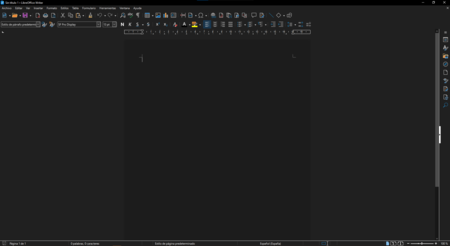
This time, however, I decided to give it a serious chance. I downloaded and installed the latest version, and the process was surprisingly easy—just download, install, and go. No product keys or subscriptions! What a refreshing feeling.
Exploring LibreOffice Writer
As my main work tool is the word processor, LibreOffice Writer was my first stop. Despite its differences from Word, the interface felt intuitive enough. Within a couple of days of use, my workflow was nearly as efficient as before.
It’s a comprehensive tool, featuring all the functions I often rely on: track changes, paragraph styles, spell check, page numbering, and indexes. Some options that are buried in Word were even more accessible here.
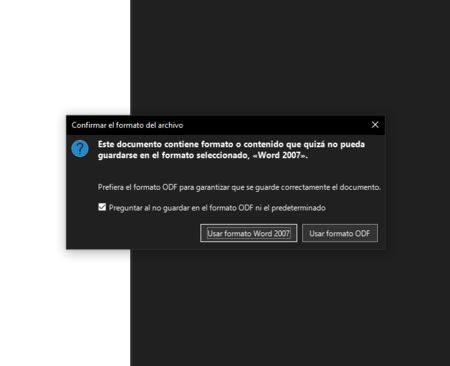
Indeed, the transition wasn’t flawless. Some older DOCX documents appeared with minor formatting issues, but nothing I couldn’t fix quickly. Writer saves by default in ODT format but can export directly to PDF or save in DOC and DOCX formats as needed.
Calc: A Reliable Spreadsheet Alternative
I’m not a spreadsheet expert, but I need reliable software for organizing information and creating simple graphs. Hence, Calc has pleasantly surprised me. The transition from Excel was easier than from Word, as basic formulas function similarly, and graph creation is intuitive.
What matters most, though, is the sense of freedom that LibreOffice provides. It’s reassuring to use open-source software that doesn’t demand subscriptions or constant cloud connectivity. In the years of intense use, I haven’t faced crashes or lost data, and the software launches faster, consuming significantly fewer system resources.
Adapting to the New Interface
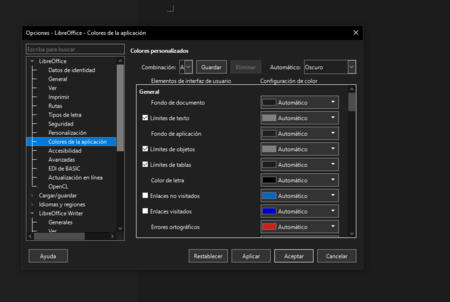
Initially, I found the interface a bit cumbersome. Unlike the Office ribbon, LibreOffice presents numerous features that can be overwhelming. However, as I grew familiar with its layout, I began to appreciate having all those options readily accessible. Now, I find it more efficient to have direct access to features without navigating through multiple tabs.
Final Thoughts
LibreOffice is not without its quirks. Issues like opening DOC and DOCX files could lead to structural modifications, although many of these have been addressed in recent updates. For everyday professional use, however, it more than satisfies my needs.
The transition does require some patience and a learning curve, but the freedom gained is worth the investment. After 20 years with Microsoft Office, I can confidently declare that LibreOffice is not only a viable alternative but has become my default tool.