
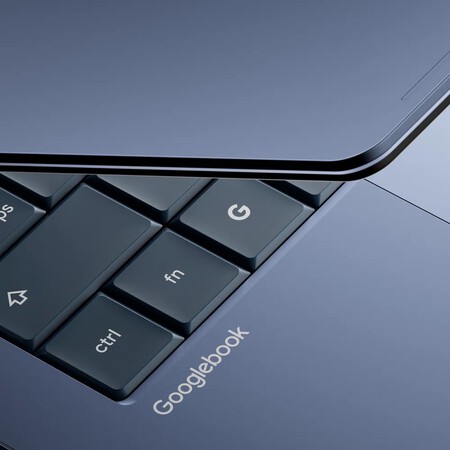
The laptop market has traditionally been segmented into distinct categories: Chromebooks as budget-friendly options, affordable Windows laptops often requiring compromises, and premium computers that occupy a different price tier altogether. Recently, this landscape shifted with the emergence of the MacBook Neo, which has contributed to rising Mac sales. Google has taken note of this development and seems ready to enter the fray with its upcoming Googlebook, bridging the gap for users who desire more than a basic Chromebook but aren’t quite ready to invest in high-end laptops.
Filling the Gap Left by Chromebooks
Google has revealed its vision for the Googlebook even before specific models hit the shelves. While we await concrete product announcements, the company assures us that the first devices will be available in the fall, in partnership with notable manufacturers like Acer, ASUS, Dell, HP, and Lenovo.
A pivotal aspect of the Googlebook lies in its operating system. Google touts it as an amalgamation of the best features from Android and ChromeOS, though definitive details regarding the exact software have yet to be unveiled. Speculation abounds that it might be powered by the soon-to-be-revealed Aluminum OS, which surfaced in leaks prior to the announcement.
Innovation with Gemini Help
Designed for a modern user experience, the Googlebook aims to integrate Gemini Help seamlessly, ensuring that helpful suggestions appear contextually rather than requiring users to open separate applications. One noteworthy feature is the Magic Pointer, developed with Google DeepMind, which transforms the cursor into a tool for contextual interactions. For instance, highlighting a date in an email may prompt an option to create a meeting, while selecting two images can help users visualize potential decor for their homes. The effectiveness of this feature in real-world scenarios remains to be seen.
Custom Widgets and Full Android Integration
Another feature that stands out in the Googlebook’s design is the ability to Create Your Widget, allowing users to generate customized widgets easily, reducing the need to sift through numerous applications. For example, when planning a family reunion in Berlin, users could compile relevant flights, hotels, and restaurant reservations into a single, user-friendly panel.
Moreover, the Googlebook aims for comprehensive Android integration, allowing users to operate mobile applications directly from their laptops. This functionality not only syncs notifications and shares files effortlessly but also enables immediate actions like ordering food or completing language lessons through apps such as Duolingo without interrupting ongoing tasks.
Aesthetic and Functional Design
As part of its ambition to make the Googlebook stand out, Google emphasizes the use of premium materials and finishes. While specific details about its construction are still forthcoming, the company hints at a range of formats and sizes tied to different manufacturers. A signature element of the Googlebook will be the Glowbar, a distinctive light bar intended to offer both functionality and visual appeal, creating a unique identity for these laptops.
The Future of Googlebook
It appears that the Googlebook is poised to engage in a conversation about user experience that Google and Windows have yet to dominate. With an emphasis on a well-rounded experience connected to mobile devices and designed for an age increasingly influenced by AI, the Googlebook stands ready to make its mark. As we look forward to more detailed announcements regarding materials, pricing, and features, it remains to be seen whether Google can fulfill these ambitious promises.
Images | Google
In Xataka | Samsung Galaxy Book6 Ultra: Samsung has finally built the Windows laptop that Apple never created.