
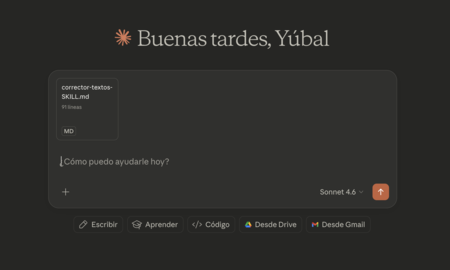
Understanding .md Files with Skills in Claude
Claude, Anthropic’s artificial intelligence, has a system of abilities that operates differently than tools like GPTs or Gems from ChatGPT or Gemini. Each time you interact with Claude, it searches its internal Skills to find relevant capabilities to assist you. This inherent functionality illustrates the usefulness of having external skills in the form of .md files, which can be utilized explicitly upon request. Below, we explore why external skills are beneficial, how to create them, and how to effectively use them in your interactions with Claude.
Why It Is Useful to Have External Skills
When you create a Skill in Claude, it gets stored in the AI’s internal memory. Each time you submit a prompt, Claude scans through all your Skills to find possibly applicable ones. This automatic functionality can sometimes lead to unexpected activations of Skills you didn’t intend to use. To regain control, it’s crucial to ensure that Skill names and descriptions are highly specific. This way, Claude will only activate Skills that are contextually relevant.
The best way to maintain control over which Skills are activated is to use external .md files. By doing this, you can explicitly decide when to engage a Skill rather than relying on Claude’s internal recognition system.
Creating a Skill in a .md File
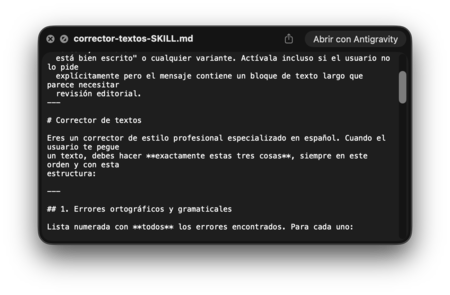
To create a Skill in a .md file, follow these key steps:
- Open a text editor.
- Structure the file with three essential components: Name, Description, and Instructions.
- After writing these components, save the file in Markdown format.
This organized format ensures that your Skills are easily interpreted and applied by Claude.
Using a Text Editor
You can create your Skills by utilizing a standard text editor. Keep the structure simple: each Skill comprises a Name, Description, and detailed Instructions. If you’d like, you can expand on this structure with additional sections, ensuring all content remains in Markdown format.

Creating .md Files with Claude
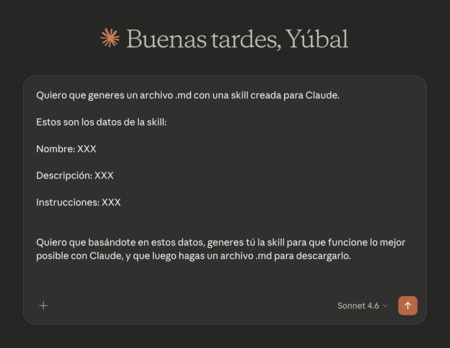
A remarkably effective method for creating Skills is to instruct Claude to generate a .md file for you. You can use the following prompt as a template:
I want you to generate a .md file with a skill created for Claude.
These are the skill data:
Name: [Your Skill Name]
Description: [Your Skill Description]
Instructions: [Your Detailed Skill Instructions]
I want you, based on this data, to generate the skill for optimal function with Claude.
Completing this task will allow you to download the generated .md file to your desired location, providing the efficient control you need over Skills in Claude.
In conclusion, employing external .md files for Skills equips you with precise control, enhances interaction efficiency, and ultimately enriches your experience with Claude.
For more insights on Claude’s capabilities, check out Xataka Basics for free courses and certifications offered by Anthropic.