
Personalizing Calls with the Pixel 10a: A Step-by-Step Guide
The Evolution of Call Personalization
With the introduction of the Google Pixel 10a, call personalization has taken a significant leap. Google is turning a routine task—identifying who’s calling—into a visually engaging experience. Users can now assign full-screen images to their contacts, transforming ordinary phone calls into unique interactions.
Full-Screen Contact Photos
When receiving or making a call, the selected contact’s photo engulfs the entire screen. This prominent display not only enhances immediate recognition but also sets a distinctive aesthetic tone for each contact. Gone are the days of dull, flat backgrounds; now users can design a calling experience that resonates with their personal style.
Simplifying Image Selection
One of the standout features of this personalization is Google’s integration of facial recognition technology. This tool intelligently filters your gallery and highlights pictures where specific contacts appear, further expediting the search for the perfect photo. In just a few taps, you can assign meaningful visuals to your frequent callers, helping you sidestep the tedious manual search through countless images.
Activating the Personalization Feature
Activating this exciting feature on your Pixel 10a is user-friendly, designed for people of all tech expertise levels. Here’s how to get started:
- Open the Contacts App: Launch the official Google phone application.
- Select a Contact: Choose the contact you wish to personalize.
- Interactive Options: Click on the interactive option that appears to test new call picture features.
- Image Selection: You can select a photo from your gallery, utilizing the face filter feature to enhance your search experience.
- Edit Personalization: Once a photo is chosen, an editor opens that allows customization of the contact name in terms of font and color, matching it to the photo’s tones.
Upon completion, these personalized settings are saved and will be active each time you initiate or receive a call from that specific contact.
The Broader Implications
While this feature is currently offered with the Pixel 10a, Google plans to expand it to older models, aiming for a more uniform experience across its smartphone ecosystem. Users will need to have Android 16 installed, as updates will gradually roll out in the upcoming months, making personalization an integral part of the Google mobile experience.
A Stylish and Functional Device
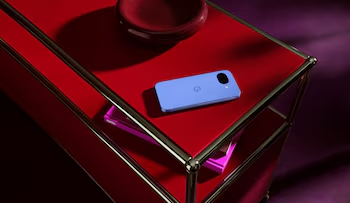
The Pixel 10a stands out not only for its call personalization features but also for its overall design. As the most affordable option within Google’s smartphone lineup, it maintains functionality without compromising aesthetics. The phone features a unique flat camera module integrated seamlessly into its body, offering a minimalist touch.
In conclusion, the Pixel 10a empowers users to craft an engaging and customized calling experience that enhances everyday interactions. With its innovative features leveraging state-of-the-art technology, Google continues to redefine how we connect with others.