
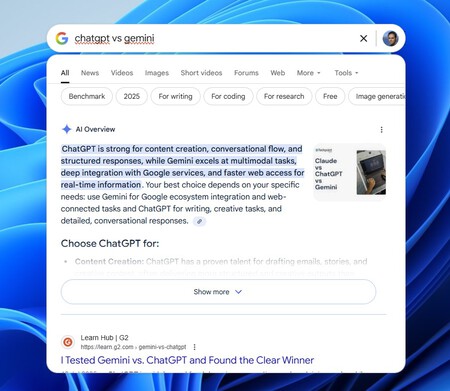
Google has recently launched an intriguing tool for Windows that aims to bring some of the functionalities Apple has been offering through its macOS Spotlight feature. This new component, known informally as “Google Spotlight,” is available for download via Google Search Labs and promises to enhance your search capabilities right on your desktop. The tool is currently available only for users in the U.S. and can be accessed in English. However, using a VPN can easily circumvent this limitation, allowing users worldwide to try it out.
Testing “Google Spotlight” for Windows
My first experience with this tool involved testing it on my Windows 11 PC, although it is compatible with Windows 10 as well. Upon installation, users are prompted to log in to their Google account . This is essential because it allows the tool to access documents stored in Google Drive . Fortunately, users can disable this feature in the settings if they prefer to keep their files private.
The “Google App for Windows” can be initiated with a simple combination: Alt + Space Bar (though this shortcut can be customized). Once activated, it offers several integrated Google search functionalities within Windows, including:
- Search for information on the Internet
- Find files stored in Google Drive
- Launch installed applications
- Search for local files on your computer
Moreover, users gain immediate access to Google Lens , allowing them to select a screen area for translations or to analyze images for specific problems. For instance, you could capture a portion of your screen containing a math question and ask Google for assistance, as depicted in the promotional materials.
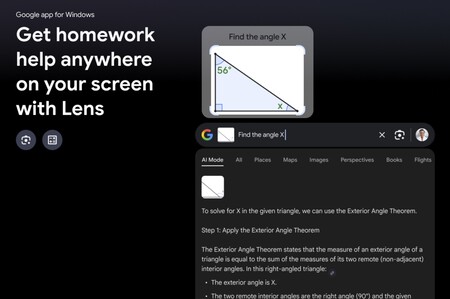
One of the promotional images of the app shows how with Google Lens we can “capture” a small mathematical problem and ask Google for help to solve it.
During my trials, I found the tool to be remarkably responsive. Search results appear almost instantly, although Google does seem to prioritize documents from Google Drive, such as Google Docs or Sheets. The application launch speed is also impressive, but I noticed a limitation: the tool does not seem capable of locating files within network folders, at least based on my own experimentation.
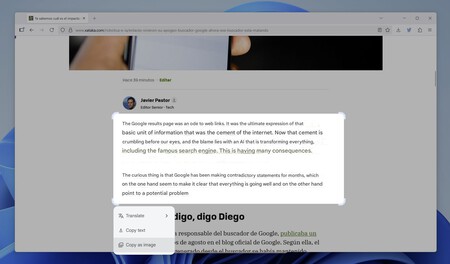
On the other hand, Google Lens proves to be particularly useful for translating text in instances where traditional text selection methods fail. I was able to successfully translate paragraphs from articles, yet for straightforward text translations, applications like Google Translate or DeepL might suffice more efficiently. The magic happens when you capture images containing foreign text, like a Chinese poster, where Google Lens can quickly identify and translate it, making it an invaluable tool for travelers or language learners.
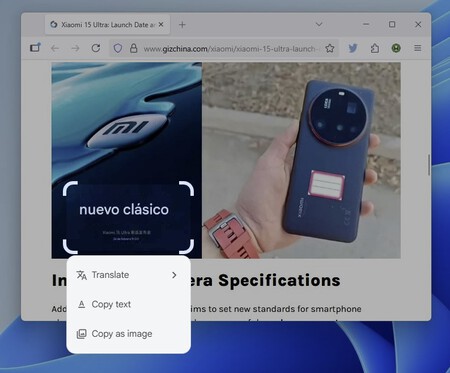
Translating Chinese text captured through Google Lens is remarkably easy with this tool.
Another fascinating aspect of this tool is its capability to search for information seamlessly. The search field encourages users to inquire about anything, activating a mini search engine that functions similarly to the full Google search website. It presents AI-driven summaries, links, and even access to AI Mode when the VPN option is enabled, keeping in mind that this is only accessible for U.S. users at present.
Already Having Spotlight Options on Windows
Google’s offering is exceptionally intriguing, though it raises questions about data privacy and the degree of Google’s infiltration into our systems. However, it’s worth noting that Google isn’t the only player trying to replicate the functionality of macOS Spotlight for Windows users. Other applications, like Powertoys Run included in the Microsoft Powertoys suite, also emulate the Spotlight feature and can be launched using the same Alt + Space Bar combination.
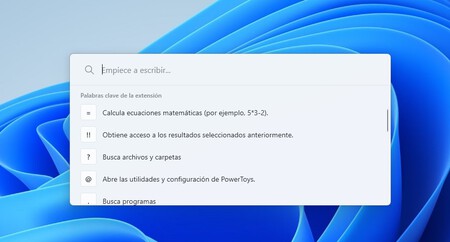
Powertoys Run offers features similar to Google’s new app.
This tool serves as an application launcher, enabling users to initiate programs or conduct quick file searches. Users can utilize a question mark to look for specific files or engage in math calculations right from the search bar. There’s also a stellar external tool named Everything that can find files nearly instantaneously due to its robust indexing system capable of including network folders — a feature that many may find particularly useful.
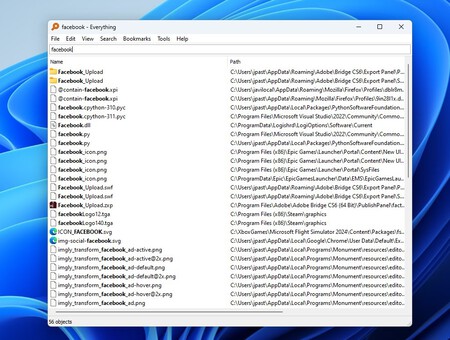
Everything provides lightning-fast searches across all kinds of files.
Ultimately, while Google’s foray into Windows search capabilities is noteworthy, existing options like Microsoft’s Powertoys and open-source applications like Everything offer strong alternatives. Google’s extensive experience in Internet searches positions it well, yet users remain encouraged to explore a variety of tools available for their Windows operating systems, ensuring they select the one that best meets their unique needs.