
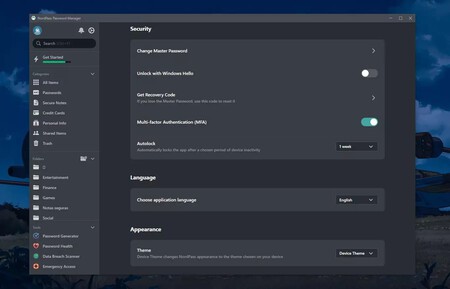
Password managers have become essential tools for our security, especially in light of the vast number of services we subscribe to and their ability to generate unique and complex passwords. However, in addition to saving passwords, these tools offer many more useful services than most of us realize. In fact, password managers can serve as the central command center for our entire digital identity, storing everything from banking data to important personal documents in a secure manner.
Increasingly Essential
In general, our perception of password managers revolves around their core purpose: managing passwords. However, platforms such as NordPass, 1Password, Dashlane, and Bitwarden are designed as true digital fortresses capable of protecting sensitive information. The challenge is that many users underestimate these additional functions or are hesitant to centralize such critical information in one place.
Beyond Passwords
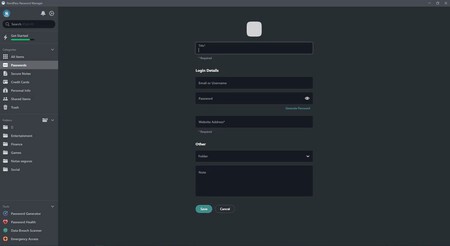
Modern password managers allow you to store virtually any data that requires security and quick access. This includes credit card numbers, bank account details, passport information, driving licenses, access codes, and even relevant medical information. Additionally, they can store full documents such as wills, birth certificates, property titles, or insurance policies. The convenience comes from having everything at your fingertips; if you need information while carrying out some task, it’s just a couple of clicks away.
More than Comfort: Planning
Unifying all our information goes beyond personal convenience. A password manager can also serve as a critical resource for family planning and succession. In the unfortunate event of disability or death, family members can access all vital information from a single point, preventing the chaos of searching for accounts and documents hidden around the house. Many password managers even include emergency access features, allowing users to designate trusted contacts who can access content after a verification period.
The Question of Security
There is a widespread concern that makes perfect sense: is it really safe to store all sensitive information in one location? Technically, the answer is a resounding yes. Professional password managers utilize zero-knowledge architectures (Zero-Knowledge), meaning that only your master password can decrypt the content. Not even the company employees have access to your data. This level of protection greatly surpasses the security offered by having information scattered across less secure platforms or, worse, stored in unencrypted notes or documents.
As previously noted, it’s entirely reasonable to have concerns about consolidating critical information in one place. After all, it is a computer system, and like any system, it is not perfect. There is always a risk that the system could be compromised, whether through a significant security breach or social engineering tactics employed by third parties.
First Steps
Transitioning all relevant information into a password manager might require time, but the benefits gained from that effort are immediate. You don’t need to add everything at once; begin with what you regularly use: credit card information, access codes, travel details, scanned PDF documents, etc. The key is to use descriptive titles, leveraging the categories offered by these applications to maintain organization and facilitate easy location.
What Manager to Choose
Beyond those offered by companies like Google or Apple within their devices and browsers, there’s a vast array of third-party password managers. Personally, I prefer a password manager that isn’t linked to my Google or Apple account, serving as an extra layer of security. It’s also advisable to keep the master password you create secure and memorized, rather than written down or stored elsewhere.
Some popular options include NordPass, 1Password, Dashlane, and Bitwarden. Each of these platforms is highly secure and provides added flexibility and functionality. While some may be more costly than others, depending on additional features they offer, many have proven to be effective. It’s beneficial if you can access your password manager across multiple devices, such as a PC and mobile, thereby increasing convenience.
In summary, password managers are not just about safeguarding passwords; they are comprehensive tools that enable better management of your digital life. By choosing an effective password manager, you’re not just enhancing your security, but you’re also improving your overall digital experience.