
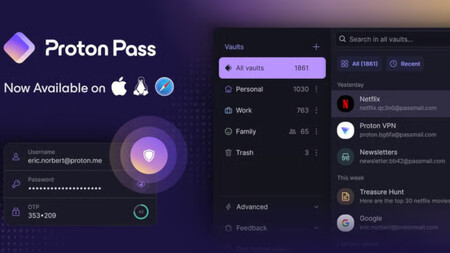
Do you use the same password for all your accounts, or do you have different ones? Truthfully, the latter is the best practice, especially considering that websites can have vulnerabilities. However, that raises a significant issue: how do you remember all those passwords ? I’ve faced this problem myself, which is why having a good password manager can be useful. But what exactly is a password manager?
A password manager is an independent program that safely stores your chosen passwords . Once you register, it saves the information, allowing you to log in to your accounts without needing to type the password every time.
You can find both free and paid services, with the latter typically offering a greater number of features and advantages. In this article, we will examine some of the best password managers , discussing their prices and differences.
Proton Pass
If you’re considering a password manager, you might be interested to know that Proton Pass currently has various monthly plans available at a discount:
- Pass Plus Monthly at 4.99 euros.
- Annual Proton Plus at 2.99 euros per month instead of 12.99 euros.
- Pass Family at 4.99 euros per month instead of 6.99 euros.
* Some prices may have changed since the last review
All three plans comprise similar tools, such as cloud storage , extreme end-to-end encryption, password and email encryption, calendar access, and VPN services.
Here’s a comparative table of the subscription plans:
Pass Plus Monthly | Annual Pass Plus | Pass Family | |
|---|---|---|---|
Tools |
|
|
|
Price |
Clearly, the Proton Family plan offers more user accounts. While it is slightly pricier, it provides excellent value for families using multiple devices. The Pass Plus Monthly is a suitable option for testing the annual tools, while the annual pass gives you the best value for money, as its monthly rate is half that of the Pass Plus.
PUREVPN
As its name suggests, PUREVPN primarily offers a VPN service but also provides a password manager. It’s worth noting that the standard service does not include the password manager, so there are two specific plans:
- Pure VPN Plus for $2.96 per month (approximately 2.52 euros) includes the VPN service and password manager.
- PUREVPN MAX for $3.33 per month (approximately 2.83 euros) includes the VPN service, password manager, Dark Web monitoring, unlimited ESIM data, and data deletion features.
* Some prices may have changed since the last review
Bitwarden
Another viable option is Bitwarden , a password manager that, though it offers a free version, has two paid tiers for additional features. Primarily corporate-oriented, it still offers useful tools for individual users:
The main distinction between Bitwarden Teams and Bitwarden Enterprise lies in pricing and additional features, including a family plan and recovery administrator in the Enterprise version.
- Bitwarden Teams for $4 per month (approximately 3.40 euros).
- Bitwarden Enterprise for $6 per month (approximately 5.10 euros).

* Some prices may have changed since the last review
Dashlane

Lastly, we have Dashlane , another service that, despite its higher pricing, offers a variety of tools. Primarily a password manager, its subscription levels allow for different functionalities, focusing more on corporate needs:
- Password Manager for 8 euros per month (with annual billing). It features employee access protection with unlimited passwords and security control optimization.
- Omnix for 11 euros per month (with annual billing). It includes a password manager, smart alerts, and additional anti-phishing protection.

* Some prices may have changed since the last review
Some of the links in this article are affiliated and may generate a benefit for Xataka. Please note that offers may vary based on availability.
Image credits: Linus Mimietz on Unsplash. For more information, you can refer to our articles on the dangers of public Wi-Fi and the differences between free and paid antivirus programs for Windows 11.