
Summer Heat and PC Gaming: A Struggle
Gaming is an enjoyable experience , especially on a personal computer. However, when summer arrives , the excitement can quickly fade due to unbearable heat. Living in Córdoba during a scorching summer means wrestling with an already hot room . My office becomes an oven, battling against the relentless heat with six fans installed inside my tower. The result? A rather uncomfortable situation .
Leaving my PC tower on the floor makes my legs uncomfortably warm, while placing it on my desk amplifies the incessant noise of the fans. The same applies to the ROG Ally, a device I cherish, yet it struggles to maintain optimal temperatures during the summer months. When the temperature rises, so do the challenges of enjoying a gaming session.
Seeking Solutions: The Power of Cloud Gaming
In my quest for a solution, I stumbled upon an emerging technology that has sparked a myriad of opinions: cloud gaming . Admittedly, it seems to be the future of gaming , and it offers a potential lifeline amid rising temperatures.
In Córdoba, the current situation is dire. With the city under orange alert due to extreme temperatures, asphalt has reached a blistering 57.3°C , while shaded grass variations hover around 27°C . Temperatures are already 30°C before noon, and nighttime brings little relief, making it feel like I’ve opened the gates of Mordor when cracking open a window. Between air conditioning and multiple fans, managing the heat draws on my infinite patience .
Understanding Heat and Electronics
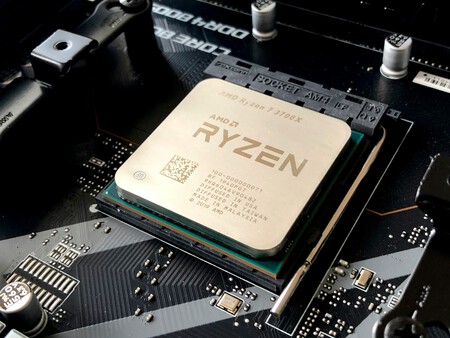
One of the primary challenges is that electronic components and heat do not coexist well. Though they are somewhat forced to tolerate each other, excessive heat can hinder a computer’s performance. Most PCs and consoles employ air cooling systems that rely heavily on the ambient temperature. When a room is hot, these cooling systems become significantly less effective.
With that in mind, I ensured my PC was clean, and the fans were free of dust. A short-term fix could be cranking the air conditioning, but not everyone has access to such luxury. In many homes, centralized air conditioning isn’t an option, necessitating cooling the entire house just to lower the temperature in one room.
Image: Olivier Collet
Personal Experiences: Temperature Impact
In my *home office *, I have a temperature sensor that recorded early morning temps at 31°C . With the air conditioning set to bring it down to 26°C , it still doesn’t take long before it creeps back up to 34°C after switching it off. This makes gaming experiences—like diving into the expansions of Guild Wars 2 or engaging in intense sessions of Delta Force —less than enjoyable by evening .
Sadly, I can’t control the oppressive heat outside, but I can mitigate the heat generated by my PC. How? By deliberately slowing down its performance. While this often feels incompatible with high-quality gaming , cloud gaming changes the landscape entirely.
Advantages of Cloud Gaming
Switching to cloud gaming does have drawbacks, chief among them being the dependency on a good Internet connection and the necessity of a subscription service. However, the advantages are substantial: cloud gaming allows you to offload processing demands from your personal hardware to external servers. This means I can play on various devices—be it my powerful tower, a laptop , or the ROG Ally—without worrying about overheating the components. The game runs on a remote server while I simply receive the streamed visuals.
For instance, when playing Guild Wars 2 in a 27°C room, my CPU temperature skyrockets from 55.4°C to over 70°C . Similarly, the GPU temperature increases from 35°C to around 55°C . Conversely, when I play the same game using GeForce Now , temperatures only fluctuate slightly—from 55°C to 57°C for the CPU, and 35°C to 37.9°C for the GPU.

GeForce Now | Image: Xataka
For games not available on GeForce Now, like Delta Force , the temperature shifts are still illustrative. Running this game spikes my processor from 55°C to 68°C , while the GPU hits around 60°C . The noise from my fans also increases substantially as they work overtime to keep the system cool.
Using the ROG Ally for Cloud Gaming
The Asus ROG Ally has quickly become my go-to device for playing titles like Devil IV and Guild Wars 2 . Utilizing it in performance mode can lead to temperatures between 80-85°C , not to mention draining its battery significantly. However, when I switch to GeForce Now , I not only enjoy better graphics and performance but can also run the device in Eco mode , keeping temperatures below 55°C . The silent fans and enhanced battery life are just additional perks.
Conclusion: The Cloud as a Viable Solution
In sum, if high temperatures pose an issue and reliable internet access is available, cloud gaming provides an option for remarkable gaming experiences without increasing the temperature inside my room. Moreover, subscriptions can be temporary, allowing me to enjoy gaming again when the weather becomes more favorable.