
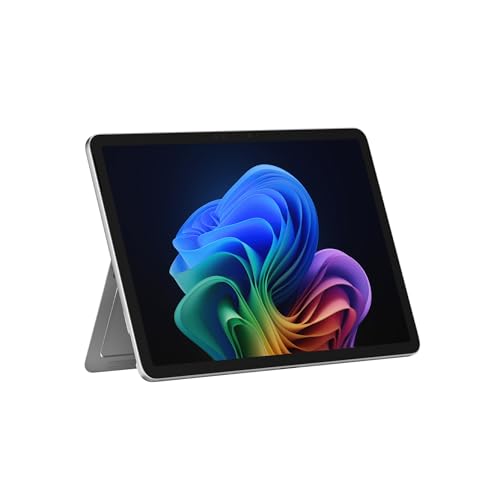
The quest for the ideal hybrid device that seamlessly marries a Windows computer with a tablet has led Microsoft, in 2025, to unveil an exciting iteration: the Surface Pro 12 . Like an almost cinematic cliffhanger, the Surface Pro 12’s introduction hinted at significant redesigns and the integration of Snapdragon X Plus with an impressive NPU of 45 TOPS — a true challenge for a family of devices highly regarded in the market.
Now, finally, we have the chance to put the new Surface Pro 12 through its paces. This device stands out as one of the most compelling entries in the Surface lineup, intelligently navigating the fine line between tablet and laptop. For many, it sets a new benchmark in its category.
Specifications of the Microsoft Surface Pro 12
| Specification | Surface Pro 12″ |
|---|---|
| Dimensions and Weight | 274 x 190 x 7.8 mm 686 grams |
| Display | 12″ LCD PixelSense Resolution: 2196 x 1464 pixels 220 ppi 3:2 Aspect Ratio Refresh Rate: 90Hz 10-point touch Reinforced glass Brightness: 400 nits |
| Processor | Snapdragon X Plus (8 cores) NPU: 45 TOPS |
| RAM | 16 GB LPDDR5x |
| Graphics | Qualcomm Adreno |
| Storage | 256/512 GB UFS |
| Battery | 38 Wh |
| Autonomy | Up to 16 hours of local video Up to 12 hours of active web usage |
| Cameras | Front: Full HD Surface Studio Rear: 10 MP Windows Hello |
| Audio | 2 x microphones Stereo speakers (2W each) Dolby Atmos Bluetooth LE Audio |
| Ports | 2 x USB Type-C (USB 3.2) Keyboard connector |
| Connectivity | Wi-Fi 5 Bluetooth 5.4 |
| Operating System | Windows 11 |
| Other | Compatible with Surface Slim Pen Back support with total friction hinge (165 degrees) |
| Price | Starting from 979 euros |
Design and Display: Innovative Balance
For those of us who have closely followed the evolution of the Surface Pro series, physically handling the Surface Pro 12 evokes a strange feeling; it doesn’t feel like a traditional Surface, yet it embodies the classic Surface aesthetic in a refreshing way.
The new model represents the most significant design evolution for the hybrid devices that Microsoft has long developed, making it feel closer to a high-end tablet rather than just another Surface Pro iteration.
One standout feature is the surface’s compactness : its dimensions, weight, and thickness align more closely with a tablet than previous Surface Pro models. This pivot is underscored by its absence of active cooling .
While one might miss some connectivity features, the stylish aluminum finish, weighing in at 686 grams with a thickness of under 8 mm, sets a refreshing and aesthetically pleasing tone. The optimized internal design effectively integrates the much-praised integrated stand , a benchmark that other tablet manufacturers should contemplate.
However, a trade-off in the tablet-like design is the loss of connectivity options; the Surface Pro 12 now only includes two USB-C ports. While functional, this is a downgrade compared to earlier Surface models, albeit still usable for charging, data transfer, and video output through compatible DisplayPort.
Overall, the Surface Pro 12 presents an engaging tablet experience enriched by its PixelSense display . Although not an OLED, it showcases vibrant colors and excellent touch responsiveness. With a resolution of 2196 x 1464 pixels at a 220 ppi density and an aspect ratio of 3:2, it provides decent versatility for productivity tasks, although it could be more competitive within its price range.
Performance and Battery Life: A Silent Revolution
With Snapdragon X Plus at the helm, the Surface Pro 12 rides on powerful processor benefits without the noise of traditional cooling systems. This model features 16 GB of LPDDR5x RAM and storage options up to 512 GB, providing a robust explanation for its admirable performance.
However, the lack of active cooling leads to challenges; while the device performs excellently under regular usage scenarios, it tends to exhibit excessive heating during intense tasks. In day-to-day use like web browsing and document handling, the Surface Pro 12 operates comparably to an entry-level laptop, but heat generation could limit its capabilities as a pure tablet.
Battery usage fluctuates depending on tasks, with autonomy reaching about 6-7 hours under moderate usage scenarios. It supports fast charging but requires a separately purchased 45W charger. Furthermore, the camera features enhanced Microsoft Studio capabilities, making it well-equipped for video calls.
*Images courtesy of Xataka.