
In this article, we’ll explore how to create free cartoons using artificial intelligence (AI). With the advancements in AI technology, tools like ChatGPT, Copilot, and Grok offer users the potential to transform photos into engaging cartoon renditions. We’ll discuss effective prompts you can use with these AI systems and introduce a couple of third-party tools for cartoon creation that you might find useful.
AI technology is continuously evolving, especially regarding image editing capabilities. One significant benefit is its ability to personalize and enhance photos. Creating a playful cartoon is a perfect example of how we can utilize these advancements, particularly if you want to craft a light-hearted profile picture.
Understanding AI Tools for Cartoon Creation
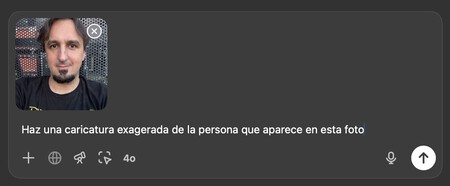
First and foremost, you need to know that standard chatbots like ChatGPT, Copilot, and Grok are equipped to generate cartoon imagery. Although Gemini (in its free version) does not support modifying facial features due to its ethical guidelines, others can provide entertaining outputs. To get started, simply use the following prompt and upload your photo.
Make an exaggerated cartoon of the person who appears in this photo.
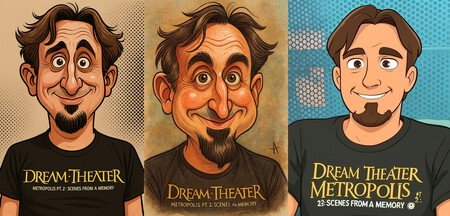
Results from left to right: Copilot, ChatGPT, and Grok
The outputs can vary significantly from one AI model to another. Based on my experience, ChatGPT and Copilot yield the best results, while Grok may not meet your expectations. ChatGPT’s outputs are typically amusing and satisfying, making it a go-to option for many.
Third-Party Tools for Cartoon Creation
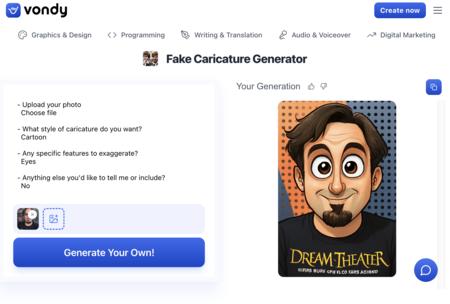
Caricature with Vondy
Several interesting third-party tools are available, including Vondy Cartoon Generator, Vidnoz, and Caricature.io, along with LightX Editor. However, the downside is that the quality of results tends to be subpar, and very few online tools can produce satisfactory cartoons.
From personal experience, Vondy remains one of the few tools that delivers interesting results, as it specifically caters to cartoon creation. You can also adjust both the style and facial features you wish to emphasize.
Exploring Paid Alternatives for Higher Quality
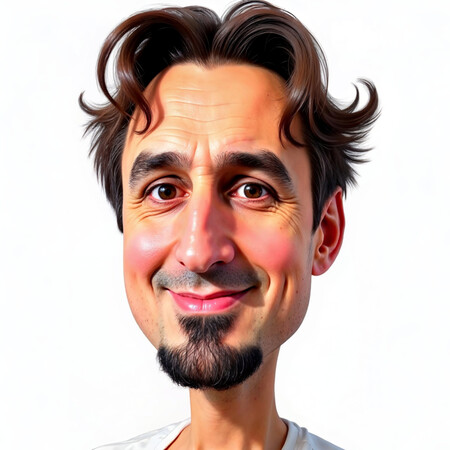
For those seeking to create high-quality cartoons from photos, paid alternatives are generally your best option. Tools like Freepik allow users to train their AI by uploading multiple photos, understanding your facial features, and subsequently crafting a cartoon avatar for various projects.
With ChatGPT’s paid version, you can also upload several images and use a prompt like, “All these photos are of one individual. Please analyze their features to learn their face and then generate an exaggerated cartoon of this person.” However, while results are improved, they still might not match the quality offered by Freepik.
As AI continues to develop, the realm of cartoon creation holds exciting potential. Whether you opt for free or paid tools, many avenues are now available to help you express creativity through entertaining cartoons.